10 Smart Home Upgrades Under $500 That Actually Save Money

Let’s be honest — utility bills have a way of sneaking up on you. One month you’re breezing through summer, and the next you’re staring at an electricity bill that made your jaw drop. You’re not imagining it. According to the U.S. Energy Information Administration, average residential electricity prices have climbed steadily over the past decade, and heating and cooling costs are only trending higher. For Australian homeowners on beliefit.com.au’s audience, the pressure from rising energy tariffs is just as real.
So it’s no surprise that more and more homeowners are turning to smart home technology — not necessarily for the cool factor, but because they’re genuinely tired of throwing money away every month on preventable energy waste. The problem? Walk into any electronics store and you’ll be bombarded with gadgets that look impressive but don’t actually move the needle on your bills. Voice-activated refrigerators and color-changing ambient light systems are fun, sure, but they’re not saving you $200 a year on electricity.
This guide is different. We’ve focused specifically on smart home upgrades under $500 — most of them well under that — that have a documented, real-world track record of reducing household costs. Whether it’s cutting your heating bill, stopping a silent leak before it turns into a $10,000 insurance nightmare, or eliminating phantom power usage you didn’t even know was happening, each upgrade on this list earns its place by actually paying you back over time.
By the end of this article, you’ll know exactly which smart upgrades are worth buying, which ones are clever marketing dressed up as savings, and how to build a smarter home on a realistic budget — without spending a fortune getting there.
What Makes a Smart Home Upgrade Actually Worth the Money?
Not every smart device deserves space in your home — or your budget. Before you spend a single dollar, it’s worth understanding what separates a genuinely money-saving upgrade from a gadget that just collects dust on a shelf. There are a few core questions any worthwhile smart home upgrade should be able to answer convincingly.
Does it directly reduce a recurring expense? The best upgrades target the things that drain your wallet every month: electricity, heating, cooling, and water. A smart thermostat that trims your HVAC usage by 10–15% doesn’t just save you money once — it saves you money every single month for years. Contrast that with a smart coffee maker that brews your morning cup remotely. Convenient? Sure. A financial investment? Barely.
Does it prevent costly damage? Some upgrades have less to do with shaving dollars off your monthly bills and more to do with avoiding catastrophic expenses. A water leak sensor might cost $30, but if it catches a slow pipe leak before it soaks through your subfloor and triggers a $15,000 restoration job, the ROI is extraordinary. Prevention-based upgrades deserve a serious look, even if the savings aren’t visible on a monthly utility statement.
Does it have a reasonable payback period? A general rule of thumb: if a smart upgrade pays for itself within 12 to 36 months through direct savings, it’s worth strong consideration. If the math requires a decade of optimistic projections to break even, think twice. Most of the upgrades in this guide have payback periods measured in months, not years.
Is it compatible with what you already own? Compatibility headaches are one of the most common (and costly) mistakes smart home buyers make. A smart hub that doesn’t work with your existing router, or LED bulbs that are incompatible with your dimmer switches, can turn a simple upgrade into an expensive afternoon of frustration. Always check compatibility before buying.
Energy efficiency, automation convenience, reduced maintenance, and long-term return on investment — these four pillars should guide every smart home purchase decision you make. Keep them in mind as we walk through the 10 upgrades below.
10 Smart Home Upgrades Under $500 That Actually Save Money
1. Smart Thermostats — The Single Biggest Bang for Your Buck
Average Price: $100–$250 (Ecobee, Google Nest, Honeywell T9)
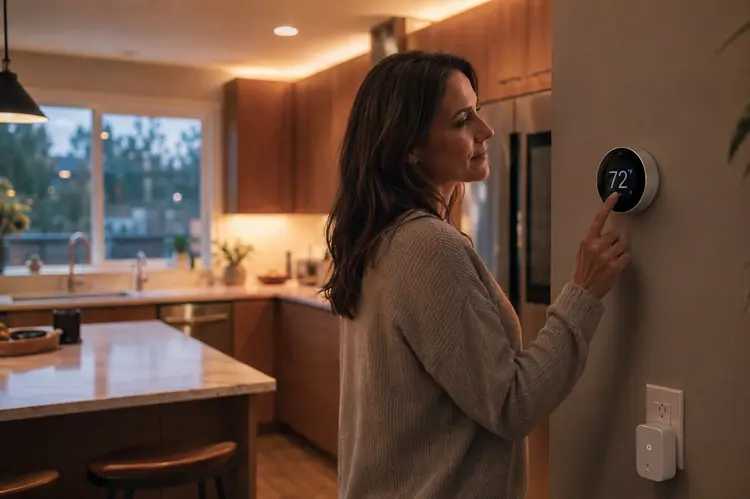
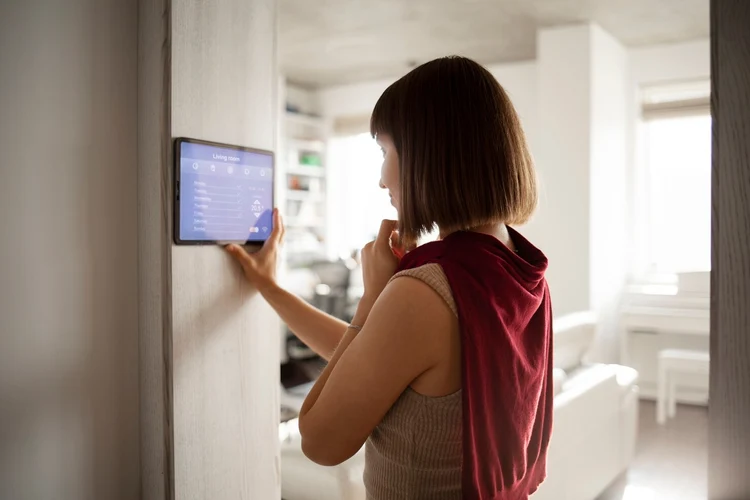
If there’s one smart home upgrade that has the most evidence behind it, it’s the smart thermostat. Heating and cooling account for roughly 45–55% of a typical household’s total energy spend, making your thermostat one of the most powerful levers you have for cutting bills. A 2026 analysis found that the average combined non-water utility bill in the US runs about $4,300/year — and a significant portion of that is directly controlled by your thermostat settings.
A smart thermostat learns your daily routine within a week or two. It knows when you’re usually home, when you’re asleep, and when the house sits empty — and it adjusts temperatures automatically so you’re not heating or cooling a house that doesn’t need it. The EPA’s Energy Star program independently verified an 8% reduction in heating and cooling costs for certified smart thermostats, which on a high-energy household can translate to $150–$300 in annual savings.
Installation Difficulty: Moderate — most homeowners can handle this in 30–45 minutes with a screwdriver. You’ll need to check whether your HVAC system has a C-wire (common wire) for power. If not, many modern thermostats include adapters or battery alternatives.
Best for: Homeowners with central heating and cooling systems who have irregular schedules or frequently forget to adjust the thermostat manually.
Estimated Annual Savings: $100–$300+ depending on your current energy costs and usage habits.
✅ Pros
- Learns your schedule automatically
- Remote control via smartphone app
- Works with most HVAC systems
- Utility rebates often available
- Fast payback period (12–18 months)
❌ Cons
- May need C-wire adapter
- Requires stable Wi-Fi connection
- Learning period of 1–2 weeks
2. LED Smart Lighting Systems — Small Change, Big Difference
Average Price: $30–$150 for a starter kit (Philips Hue, LIFX, Wyze)
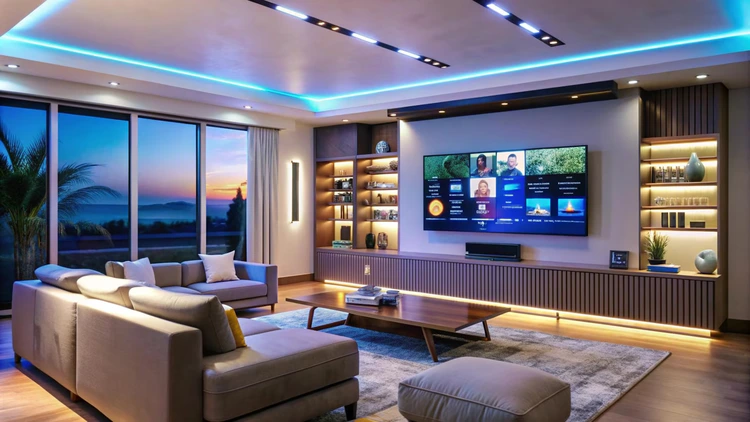
Lighting is one of those costs that sneaks up on you because it’s so distributed. Leaving lights on in rooms nobody’s using, forgetting to turn off outdoor lights until morning, keeping accent lights running all evening — it adds up faster than most people realize. According to Energy Star data, LED bulbs use up to 90% less energy than traditional incandescent bulbs and can save the average household about $225 per year on electricity bills. Factor in their 15–25 year lifespan versus one or two years for incandescents, and the long-term math becomes very compelling.
Smart LED systems take the savings further by adding automation on top of efficiency. You can set schedules so lights turn off automatically when you leave home, use motion sensors to ensure hallway lights only run when someone’s actually in the hallway, and dim lights during evenings — since dimming by just 25% significantly reduces electricity draw. Beyond scheduling, smart features like motion-activated controls can reduce lighting usage by an additional 20–30% compared to standard LEDs used manually.
Installation Difficulty: Very Easy — it’s literally screwing in a light bulb. Most smart bulbs connect directly to your home Wi-Fi or through a small hub that plugs into your router.
Best for: Everyone. This is the most universally applicable upgrade on this list, suitable for renters and homeowners alike.
Estimated Annual Savings: $50–$225 depending on how many bulbs you replace and your current lighting habits.
✅ Pros
- No professional installation needed
- Works for renters
- Scheduling eliminates wasted lighting
- 25,000–50,000 hour lifespan
- Integrates with voice assistants
❌ Cons
- Higher upfront cost vs. basic LEDs
- Some require proprietary hubs
- Standby power draw (small but present)
3. Smart Power Strips — Eliminate Phantom Energy You Didn’t Know You Had
Average Price: $30–$80 (Kasa Smart, TP-Link, Amazon Smart Power Strip)
Here’s something most people don’t think about: your TV, gaming console, microwave, and desktop computer are probably drawing power right now — even if they’re “off.” This phenomenon, known as standby power or phantom load, is silent and relentless. Research from the Natural Resources Defense Council found that idle devices in a typical American home consume roughly 65 watts at any given time — which works out to around $200 per year in completely wasted electricity.
Smart power strips solve this by cutting power entirely to devices that aren’t in active use. Most models use a “master” outlet — typically your TV or computer — and automatically cut power to all connected “controlled” outlets when the master device turns off. Some go further by allowing you to schedule specific outlets to power down overnight or set energy usage thresholds that trigger automatic shutoffs. It’s one of the most passive, zero-effort ways to reduce your electricity bill without changing a single habit.
Installation Difficulty: None — plug it in and configure through the app.
Best for: Home offices, entertainment centers, and any room with multiple electronics running simultaneously.
Estimated Annual Savings: $50–$200 depending on the number of phantom-load devices in your home.
✅ Pros
- Zero installation required
- Completely passive savings
- Individual outlet monitoring
- Surge protection included
- Renter-friendly
❌ Cons
- May not cover whole-home phantom load
- Requires Wi-Fi for full functionality
4. Water Leak Detection Sensors — The Best Insurance You Can Buy for $30

Average Price: $20–$80 per sensor (Moen Flo, Govee, Honeywell Home)
Water damage doesn’t send warnings. A slow drip behind a washing machine or a hairline crack in a supply line can go completely unnoticed for weeks — until your floor buckles, your walls develop mold, and you’re looking at a repair bill that no homeowner wants to see. The Insurance Information Institute reports that water damage claims average above $10,000, and between 22–28% of all homeowner insurance claims are caused by water damage and freezing. A $20–$50 sensor investment can prevent damage costing tens of thousands of dollars.
Beyond preventing damage, many insurance companies now offer tangible discounts for homes equipped with smart water detection systems. Studies show that installing a smart leak detection device can reduce water leak frequency by up to 96%. Insurance discounts for these devices can range from 5–13% off your annual premium — which on a typical homeowners policy, represents real ongoing savings year after year.
Installation Difficulty: Very Easy — place the sensor on the floor near vulnerable areas (under sinks, behind washing machine, near water heater). No tools or wiring required for basic sensors.
Best for: All homeowners, especially those with older homes, recently installed appliances, or homes in areas with temperature extremes that risk pipe bursting.
Estimated Savings: Potential to prevent $10,000+ in damage. Insurance discounts of 5–13% annually.
✅ Pros
- Extremely affordable
- Can reduce insurance premiums
- Instant smartphone alerts
- No professional installation
- Some models auto-shut off water supply
❌ Cons
- Requires placement planning
- Battery replacement every 1–2 years
- Basic sensors don’t auto-shutoff water
5. Smart Video Doorbells — Security Savings That Go Beyond Peace of Mind
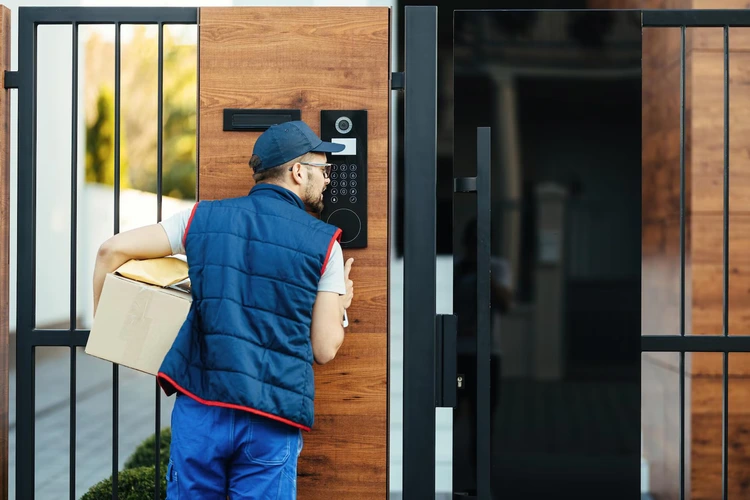
Average Price: $100–$250 (Ring, Eufy, Arlo, Google Nest Doorbell)
Smart doorbells have become one of the most popular smart home additions in recent years, and for good reason — but many homeowners buy them for convenience without realizing they can also trim household expenses in a couple of meaningful ways. First, they’re a genuine deterrent to package theft. Lost or stolen packages are a real cost, and with porch piracy becoming increasingly common, a visible video doorbell actively reduces the likelihood you’ll need to replace stolen deliveries. Second, some insurance companies extend discounts of 5–15% to homes with qualifying security systems, and a smart doorbell often counts as part of that qualifying setup.
For families with elderly relatives or children who come home from school alone, the two-way communication feature adds a layer of safety that’s hard to put a price on. You can speak to delivery people, see who’s at the door from across town, and receive motion alerts that keep you connected to what’s happening at your home in real time.
Installation Difficulty: Easy to moderate. Wired versions replace your existing doorbell and take about 30–45 minutes. Battery-powered versions are even simpler — drill two screws and you’re done.
Best for: Homeowners or renters who receive frequent deliveries, live in areas with higher package theft, or want additional home security without a full alarm system.
Estimated Annual Savings: Variable — but insurance discounts, avoided package replacement costs, and deterrence value can amount to $100–$300+ over time.
✅ Pros
- Package theft deterrence
- Potential insurance discounts
- Remote access from anywhere
- Clear video evidence if needed
- Two-way audio
❌ Cons
- Monthly subscription for cloud video storage
- Wired installation requires some electrical knowledge
- Wi-Fi signal strength matters near entry points
6. Low-Flow Smart Shower Heads — Your Water Bill Will Thank You

Average Price: $40–$150 (High Sierra, Niagara, Moen Smart Shower)
The average shower runs at 2.1 gallons per minute in the US — and the average person showers for about 8 minutes, consuming nearly 17 gallons each time. Multiply that by a household of four people, 365 days a year, and you’re looking at roughly 25,000 gallons of water flowing down the drain annually just from showers. EPA WaterSense certified shower heads use no more than 2.0 gallons per minute, and many quality low-flow models operate at 1.5 GPM or less — reducing shower water consumption by up to 40% without any noticeable reduction in pressure thanks to aerating technology.
More advanced smart shower heads add features like temperature control, usage tracking, and shut-off reminders — nudging household members to shorten shower times through real-time feedback. For a family of four, switching to a quality low-flow shower head can save 10,000+ gallons of water per year, which translates to meaningful reductions in both water and water heating costs.
Installation Difficulty: Very Easy — unscrew the old head, wrap the threads with plumber’s tape, screw on the new one. Most people complete this in under 10 minutes.
Best for: Larger households with multiple daily showers, homes with high water rates, and environmentally conscious homeowners.
Estimated Annual Savings: $50–$150 on water and water heating bills depending on household size and water costs.
✅ Pros
- Extremely easy installation
- Immediate impact on water bills
- Works for renters
- No app required for basic models
- Often qualifies for utility rebates
❌ Cons
- Some users notice pressure change initially
- Smart features require Wi-Fi and app
7. Smart Plugs — Turn Any Appliance Into a Smart Appliance
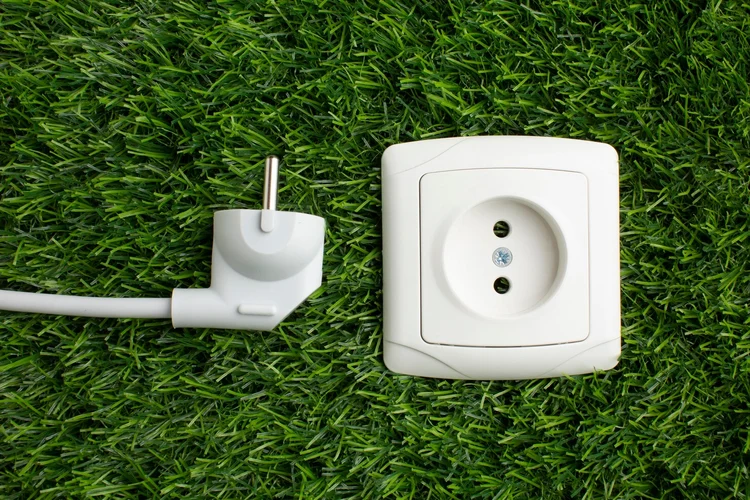
Average Price: $10–$35 each, or $25–$60 for 4-pack (Kasa, Amazon Smart Plug, Wemo)
Smart plugs are the entry-level gateway to home automation, and they’re significantly more useful than many people initially assume. At their simplest, they let you turn any regular appliance on or off from your smartphone. But the best smart plugs also track energy usage per outlet — which means you can actually see, in real dollars and cents, how much your space heater, window AC unit, or old refrigerator is costing you each month. That data alone often prompts people to make behavioral changes that save more than the device itself.
Think about the lamps, fans, and small appliances you leave on through habit rather than intention. With smart plugs on a schedule, they power down automatically every night or when you leave the house. No more paying to power a lamp that’s been running in an empty room all day. For older appliances with poor standby efficiency, the energy tracking data can also help you decide whether replacement is financially justified.
Installation Difficulty: None — plug it into a wall outlet and configure through the app in 2 minutes.
Best for: Renters, first-time smart home builders, and anyone with older appliances they can’t yet afford to replace.
Estimated Annual Savings: $30–$100+ depending on what’s plugged in and how often you leave things on unnecessarily.
✅ Pros
- Cheapest smart home entry point
- Energy monitoring on premium models
- Works with any standard outlet
- Works with voice assistants
- Perfect for renters
❌ Cons
- Not suitable for high-draw appliances (ovens, dryers)
- Adds slight bulk to outlet area
8. Wi-Fi Irrigation Controllers — Stop Watering Your Lawn When It’s Already Raining

Average Price: $80–$200 (Rachio 3, RainBird ST8I, Orbit B-hyve)
If you have an in-ground irrigation system, there’s a good chance it’s wasting water in ways you’ve never thought about. Traditional irrigation timers run on fixed schedules — rain or shine, hot or cool, regardless of whether the soil actually needs water. Smart irrigation controllers fix this by pulling real-time weather data and adjusting your watering schedule automatically. If it rained yesterday, your system skips the morning cycle. If a dry spell is forecasted, it may water a little longer. EPA WaterSense estimates that a smart irrigation controller can save an average of 8,800 gallons of water per year compared to a standard timer-based system.
Many utility companies have caught on to this and offer rebates specifically for WaterSense certified smart irrigation controllers — sometimes covering 50–100% of the device cost. The Rachio 3, for example, is available through many utility rebate programs at little to no out-of-pocket cost.
Installation Difficulty: Moderate — replaces your existing irrigation controller, which involves connecting a few wires. Most homeowners can manage with the included instructions; takes about 30–60 minutes.
Best for: Homeowners with in-ground sprinkler systems, especially in areas with variable rainfall or drought conditions.
Estimated Annual Savings: $100–$250 on water bills depending on lawn size and local water rates.
✅ Pros
- Weather-based auto-adjustment
- Frequent utility rebates available
- Reduces water waste significantly
- Remote control via app
- Compatible with most irrigation systems
❌ Cons
- Only useful if you have irrigation system
- Moderate installation complexity
- Requires consistent Wi-Fi in garage/utility area
9. Smart Blinds or Motorized Curtains — Passive Cooling That Actually Works

Average Price: $100–$400 for a window (IKEA FYRTUR, SwitchBot Curtain, Lutron Serena)
Smart blinds often get overlooked in smart home conversations because they feel more like a luxury item than a practical savings tool. But the numbers tell a different story. Direct sunlight streaming through south- or west-facing windows in summer can raise indoor temperatures by 5–10°F, forcing your air conditioning to work significantly harder. The U.S. Department of Energy estimates that window coverings can reduce heat gain by up to 77% when properly closed during peak sun hours. On a hot summer day, that’s meaningful load reduction on your AC unit.
Smart blinds take this further by automating the process. You can set them to close automatically when the sun reaches a certain angle, open them again in the evening when temperatures cool, and integrate them with your smart thermostat for coordinated climate management. In winter, opening blinds during sunny daytime hours and closing them after sunset helps retain heat — reducing heating costs without any active effort.
Installation Difficulty: Easy to moderate. Retrofit solutions like SwitchBot Curtain attach to existing curtain rods with no drilling. Custom smart blinds require professional installation but offer the best performance.
Best for: Homes with significant south or west-facing windows, sunrooms, or conservatories that heat up dramatically in summer months.
Estimated Annual Savings: $75–$200 on cooling and heating costs depending on window count and sun exposure.
✅ Pros
- Reduces HVAC load passively
- Integrates with thermostat systems
- Retrofit options for renters
- Works on schedule or temperature triggers
❌ Cons
- Higher upfront cost than other upgrades
- Premium models can exceed $500 for multiple windows
- Custom installations require professional help
10. Home Energy Monitoring Systems — You Can’t Manage What You Can’t Measure
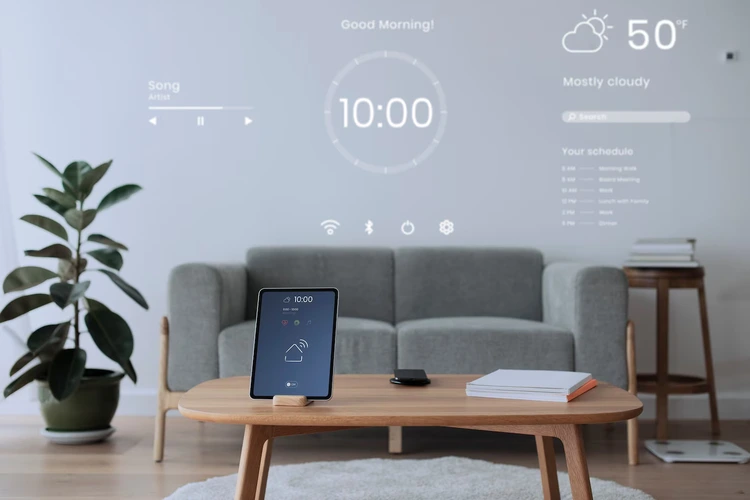
Average Price: $100–$350 (Emporia Vue, Sense, Eyedro)
A home energy monitor is the smart home equivalent of a financial budget app — it tells you exactly where your money is going. These systems install on your electrical panel and provide real-time data on how much electricity every circuit in your home is consuming. The Emporia Vue, for instance, uses machine learning to identify individual appliances by their unique electrical signatures, giving you a per-device breakdown of energy use without any additional sensors. ENERGY STAR research suggests that households with real-time energy feedback reduce consumption by 5–15% within the first few months simply because awareness drives behavior change.
The insights these systems provide often pay for themselves quickly. Discovering that an aging second refrigerator in the garage is costing $180/year to run might convince you to unplug it. Seeing that your pool pump draws enormous power during peak rate hours might prompt you to reschedule it. The data transforms abstract utility bills into actionable information.
Installation Difficulty: Moderate to Hard — requires attaching current transformer clamps inside your electrical panel. Many homeowners prefer hiring an electrician for this step, especially if unfamiliar with electrical panels. Cost: $50–$100 for professional installation.
Best for: Homeowners with higher-than-average electricity bills who want to identify specific sources of waste before investing in other upgrades.
Estimated Annual Savings: $150–$400 depending on what you discover and address based on the data.
✅ Pros
- Identifies hidden energy hogs
- Enables data-driven saving decisions
- Works with your existing setup
- Real-time and historical usage tracking
❌ Cons
- Panel installation can be intimidating
- Some models require monthly subscription
- Benefits are indirect — requires you to act on data
Smart Home Upgrades — Cost vs. Savings Comparison
| Upgrade | Approx. Cost | Estimated Annual Savings | Payback Period | Renter-Friendly? |
|---|---|---|---|---|
| Smart Thermostat | $100–$250 | $100–$300 | 6–18 months | Sometimes |
| LED Smart Lighting | $30–$150 | $50–$225 | 3–12 months | ✅ Yes |
| Smart Power Strips | $30–$80 | $50–$200 | 2–8 months | ✅ Yes |
| Water Leak Sensors | $20–$80 | Prevents $10k+ damage | Immediate (risk-based) | ✅ Yes |
| Smart Doorbell | $100–$250 | $50–$200+ | 12–24 months | Sometimes |
| Low-Flow Smart Shower Head | $40–$150 | $50–$150 | 4–12 months | ✅ Yes |
| Smart Plugs | $10–$35/each | $30–$100 | 2–6 months | ✅ Yes |
| Wi-Fi Irrigation Controller | $80–$200 | $100–$250 | 6–12 months | ❌ No |
| Smart Blinds/Curtains | $100–$400 | $75–$200 | 12–24 months | Retrofit options |
| Home Energy Monitor | $100–$350 | $150–$400 | 6–18 months | ❌ No |
Which Smart Home Upgrade Saves the Most Money?
Different homeowners have different needs, so the “best” upgrade really depends on your situation. Here’s a quick breakdown by category to help you identify where to start:
Best for electricity savings: Smart thermostat, hands down. Heating and cooling represent the largest single energy expense in most homes, and automating temperature control consistently delivers the highest electricity bill reduction. If you already have a smart thermostat, home energy monitoring systems are the next best move for identifying your next biggest waste sources.
Best for water savings: Wi-Fi irrigation controller (for homeowners with irrigation systems) or low-flow smart shower heads (for everyone). Both target high-volume, high-frequency water use — the areas where small daily changes compound into significant annual savings.
Best for renters: Smart plugs, LED smart bulbs, low-flow shower heads, and water leak sensors. All of these are portable, non-invasive, and can be taken with you when you move. They require zero permission from a landlord and deliver real ongoing savings.
Best for homeowners focused on long-term ROI: Home energy monitoring combined with a smart thermostat. The monitor identifies waste; the thermostat systematically eliminates the biggest source of it. Together, these two create a feedback loop that compounds savings over time.
Best low-maintenance upgrade: Smart power strips and water leak sensors. Set them up once, forget them, and let them work quietly in the background — one saving you money on phantom load, the other protecting you from catastrophic water damage.
Best easy DIY installation: Smart plugs and LED bulbs. Both require zero tools, zero technical knowledge, and can be fully operational in under five minutes. Perfect starting points for anyone new to smart home technology.
Smart Home Upgrades With the Fastest Return on Investment
Payback period — the time it takes for your savings to equal the cost of the device — is the most practical metric for evaluating smart home purchases. Here’s how the upgrades on this list typically perform:
Smart power strips often have the fastest payback period of anything on this list, frequently as short as 2–4 months. The math is simple: they cost $30–$80 and immediately start eliminating $50–$200/year in phantom load waste. No waiting for behavioral habits to shift, no learning period — the savings are automatic from day one.
Smart plugs with energy monitoring are in a similar position. At $10–$35 each, they can pay for themselves in a matter of weeks if placed on high-draw appliances that run unnecessarily.
Low-flow shower heads are worth highlighting here specifically for households in areas with high water rates. At $40–$80 for a quality model that installs in 10 minutes, many families report seeing reduced water bills within the first 30 days.
Smart thermostats have a slightly longer payback window (typically 12–18 months) due to their higher upfront cost, but their consistent annual savings and utility rebate eligibility make them an outstanding long-term investment. Many utility providers offer rebates that effectively reduce the purchase price to under $50, dramatically shortening the payback period.
Common Mistakes People Make When Buying Smart Home Devices
The smart home market is full of clever marketing, and it’s genuinely easy to spend money on things that don’t actually improve your financial situation. Here are the most common mistakes to avoid:
Buying gadgets because they’re trendy, not useful. A smart refrigerator that creates a shopping list sounds impressive in a product video. But unless it’s also dramatically reducing your food waste or electricity consumption, it’s a $3,000 expense with no real savings payback. Focus on upgrades that target recurring costs — heating, cooling, lighting, water, and phantom power.
Ignoring compatibility before buying. This is the number one source of smart home frustration. Nest products work best in the Google ecosystem. Philips Hue may require its own hub. Some smart home platforms don’t talk to each other at all. Before purchasing any device, verify it’s compatible with your existing router, any smart speakers you own (Amazon Alexa, Google Home, Apple HomeKit), and any other smart devices you’ve already invested in.
Overpaying for premium features you won’t use. A $250 smart thermostat with a built-in camera and occupancy sensor does the same core job as a $100 model if your usage pattern is simple. Identify what features you actually need before being dazzled by the most expensive option in a category.
Underestimating Wi-Fi requirements. Smart devices depend on a stable Wi-Fi connection to function properly. If your router is old, has weak signal coverage, or frequently drops connections, smart home devices will underperform. Before investing in multiple smart devices, it may be worth upgrading to a mesh Wi-Fi system — which, depending on your router situation, doesn’t need to be expensive.
Ignoring app and subscription requirements. Some smart devices come with hidden ongoing costs in the form of mandatory cloud subscriptions. Ring doorbells, for example, require a subscription to access stored video. Nest cameras have similar requirements. Always factor in subscription costs when calculating your total cost of ownership.
Poor placement of sensors and devices. A water leak sensor that’s placed on a shelf instead of on the floor near a water source won’t detect a leak. A smart thermostat installed next to a heat source will misread your home’s temperature and waste energy. Read placement instructions carefully — good placement is as important as the device itself.
DIY vs. Professional Smart Home Installation — What’s Actually Worth Hiring Out?
The vast majority of smart home upgrades on this list are straightforward DIY installs that most homeowners can handle in under an hour with no special skills. Smart plugs, LED bulbs, water sensors, smart power strips, and shower heads all fall firmly into the “do it yourself” category — there’s genuinely no reason to pay someone else to plug in a device or screw in a light bulb.
Where professional installation earns its cost is with upgrades that touch your electrical panel, involve wiring inside walls, or require integration with HVAC systems. Home energy monitors, for example, require connecting clamps inside your electrical panel — not something to attempt if you’re uncomfortable around live electrical components. The professional installation cost (typically $50–$150) is easily justified by safety alone.
Smart thermostats occupy a middle ground. Most homeowners with basic comfort around simple wiring can handle a thermostat replacement — the wiring is low-voltage and color-coded, and manufacturers provide excellent step-by-step guides. But if your HVAC system is complex (multi-zone heating, heat pump configuration, or older wiring without a C-wire), professional installation is worth the $80–$150 fee to avoid compatibility headaches.
Smart Home Trends Shaping 2026 — Where the Industry Is Heading
The smart home industry in 2026 is moving in several clear directions, and understanding these trends helps you make smarter buying decisions today — choosing platforms and devices that will still be relevant and supported three to five years from now.
Matter protocol adoption is finally mainstream. Matter — the unified smart home connectivity standard backed by Apple, Google, Amazon, and Samsung — has reached the point where many new smart home devices support it natively. This is genuinely good news for consumers because it means less worry about whether your devices from different brands will talk to each other. When shopping for new devices, look for “Matter compatible” in the specifications.
AI-powered energy optimization is moving from commercial to residential. What was once only available in commercial building management systems is increasingly accessible to homeowners. AI-driven systems can now predict energy demand, optimize HVAC scheduling based on weather forecasts and occupancy patterns, and coordinate multiple smart devices for whole-home efficiency. Expect to see more of this integrated into smart thermostat platforms and home energy monitors.
Solar integration and battery storage coordination. As home solar systems become more affordable and home battery systems (like Tesla Powerwall and its competitors) become more common, smart home platforms are increasingly offering solar-aware automation. Smart devices that shift high-energy tasks to hours when solar generation is highest — rather than drawing from the grid — represent the next frontier of home energy savings.
Voice assistants are maturing into genuine home managers. Beyond setting timers and playing music, voice assistants in 2026 are increasingly capable of managing complex multi-device routines, responding to energy price signals from utilities, and providing useful home energy summaries on request. The gap between what voice control can do and what most homeowners use it for remains enormous.
Sustainability-focused smart devices. Manufacturers are responding to consumer demand for sustainability with products designed specifically around environmental and cost efficiency — from smart water recycling systems to solar-powered sensors that eliminate battery waste. This category is worth watching as these products mature and become more cost-competitive.
How to Build a Smart Home on a Budget — A Practical Roadmap
The smartest approach to building a smart home isn’t buying everything at once — it’s building deliberately, starting with the upgrades that pay you back the fastest and using those savings to fund subsequent purchases.
Start with the free wins. Before spending anything, audit your home’s current energy use. If you have a standard utility smart meter, your provider’s app may already show you usage patterns. Look for appliances that run constantly, lights that stay on in unoccupied rooms, and electronics with high standby draw. This gives you a baseline.
Month 1–2: Renter-friendly, low-cost, high-impact. Start with smart plugs ($10–$35), LED smart bulbs ($15–$50 for key rooms), and water leak sensors ($20–$40). Total outlay: under $150, payback time measured in months, and all of these can move with you if you’re renting.
Month 3–4: Target your biggest recurring expense. If you have central HVAC, install a smart thermostat. If your irrigation system runs on a timer, upgrade to a Wi-Fi controller. Focus one significant purchase on your single largest utility expense.
Month 5–6: Add intelligence and monitoring. Once you have a few devices running, consider a home energy monitor. This gives you data to inform every future smart home purchase — ensuring you spend where the actual savings opportunities are, not just where the marketing is loudest.
Ongoing: Expand with rebates and savings. Many of the upgrades in this guide qualify for utility rebates. Track down every applicable rebate in your area and let those offset the cost of subsequent purchases. The savings from your early upgrades will start accumulating, funding the next layer of your smart home without any additional out-of-pocket spend.
Avoid subscriptions where possible. Subscription fees erode the ROI of smart home devices significantly. Prioritize devices that offer full functionality locally or through one-time purchases. Where subscriptions are unavoidable, factor the monthly cost into your savings calculation before buying.
Frequently Asked Questions About Smart Home Upgrades Under $500
1. Which smart home upgrade saves the most money?
Smart thermostats consistently deliver the highest documented dollar savings for most homeowners because heating and cooling represent 45–55% of total household energy spend. However, the “best” upgrade depends on your situation — if you have significant phantom power draw or undetected water waste, smart power strips or a leak detection system might outperform a thermostat in your specific case.
2. Are smart thermostats worth buying?
Yes, for the vast majority of homeowners with central HVAC systems. EPA’s Energy Star program independently verified 8% reductions in heating and cooling costs, and many utility providers offer rebates that significantly reduce the upfront cost. If you frequently forget to adjust your thermostat or have inconsistent schedules, the payback period can be as short as 6–12 months.
3. Can smart home devices actually reduce electricity bills?
Absolutely, but the amount depends on your current habits and which devices you choose. Households that are already disciplined about energy use will see smaller improvements than those with obvious waste patterns. The most reliable electricity savings come from smart thermostats (HVAC efficiency), LED smart lighting (reduced consumption + automation), and smart power strips (phantom load elimination).
4. What smart devices are best for renters?
Smart plugs, LED smart bulbs, low-flow shower heads, and water leak sensors are all ideal for renters because they require no permanent installation, leave no marks on walls, and can be taken with you when you move. They also deliver genuine savings without requiring any landlord approval.
5. Are smart home upgrades difficult to install?
Most are surprisingly easy. Smart plugs, LED bulbs, and water sensors require zero technical skill — they’re plug-and-play devices. Smart thermostats and irrigation controllers are moderate difficulty but come with detailed instructions. The only upgrades that genuinely benefit from professional installation are home energy monitors (electrical panel work) and complex HVAC configurations.
6. How much money can smart lighting actually save?
Switching from incandescent bulbs to LED smart bulbs can save the average household up to $225 per year according to Energy Star data. Smart features like scheduling and motion activation can reduce lighting usage by an additional 20–30% beyond the base LED efficiency gain. Total annual savings depend heavily on how many bulbs you replace and your current lighting habits.
7. Do smart home devices increase home value?
In most cases, yes — particularly for integrated systems like smart thermostats, security systems, and whole-home energy management. A 2024 consumer research study found that a majority of homebuyers view smart home features positively, and some real estate professionals report that well-implemented smart home systems can support asking prices at the margin. That said, the financial value is primarily practical (monthly savings) rather than a significant contributor to appraised property value.
8. What is the cheapest smart home upgrade that actually works?
Smart plugs win on price — you can pick up a quality model for $10–$15 that provides real energy monitoring and app-controlled scheduling. Water leak sensors are a close second at $20–$30, offering extraordinary risk protection for minimal cost. Both are effective, zero-installation, and deliver immediate value.
Final Thoughts: Start Smart, Save More Over Time
Building a smarter home doesn’t require a renovation budget or a weekend project. The most financially rewarding smart home upgrades are often the simplest ones — a thermostat that stops heating an empty house, a sensor that catches a leak before it becomes a catastrophe, a power strip that quietly eliminates $150/year in electricity you were paying for nothing in return.
The key is to resist the pull of flashy gadgets and stay focused on upgrades that target your biggest recurring costs. Prioritize devices with short payback periods — especially ones that qualify for local utility rebates, which can dramatically reduce upfront investment. Start small, measure your results, and let each upgrade fund the next one.
Whether you’re a renter working with a tight budget and no permission to modify anything, or a homeowner ready to invest more strategically, there are options on this list that make financial sense for you right now. Smart plugs and LED bulbs are universal starting points. A smart thermostat is the single highest-impact purchase for most homeowners. And a water leak sensor might be the most underrated $30 you’ll ever spend protecting your home.
Smart homes don’t need to be complicated or expensive to be genuinely useful. Start with one upgrade, see the impact, and build from there. The savings add up faster than most people expect — and once you start seeing results on your bills, the motivation to keep going tends to take care of itself.
“The best smart home upgrade is the one that solves a real problem in your home — not the one with the most features in the box.”
Ready to start? Pick one upgrade from this list that matches your budget and biggest pain point, and take one small step toward a more efficient, more affordable home today.
Disclosure: This article contains general information for educational purposes. Product prices and savings estimates are approximate and may vary by region, usage habits, and individual home conditions. Always check current pricing and utility rebate programs in your area before purchasing.