How to Build a Home Office in Any Small Space on a Budget

Not too long ago, the idea of working from home meant sprawling corner offices, dual monitors, and a dedicated room with a door that actually closes. Today? Millions of people are logging into Zoom calls from their bedroom corners, kitchen tables, and the tiniest nooks imaginable — and somehow making it work. Remote work has changed everything, but it hasn’t changed the reality that most of us don’t have extra square footage just lying around.
If you’re living in a small apartment, a compact rental home, or sharing space with family, setting up a proper workspace can feel frustrating. You want something that feels professional and keeps you focused, but you also don’t have a thousand dollars to spend or a spare room to transform. The good news? You genuinely don’t need either of those things.
According to recent remote work productivity research, remote employees are on average 13% more productive than their office counterparts — largely because of fewer interruptions and greater control over their environment. That productivity edge, however, depends heavily on having a workspace that supports focus. A messy, uncomfortable, or poorly lit corner isn’t going to cut it.
This guide is all about practical, budget-friendly solutions for building a home office that actually works — even if your “office” is a closet shelf, a bedroom corner, or a wall-mounted desk that folds away every evening. We’ll walk through the best small home office ideas, the right furniture choices, smart décor tricks, DIY upgrades, and the common mistakes you’ll want to avoid. Whether you’re working remotely full-time or just need a dedicated spot for side projects, there’s a setup here that will fit both your space and your wallet.
Let’s get into it.
What Makes a Good Small Home Office?
Before you start moving furniture around or ordering anything online, it’s worth thinking about what actually makes a home workspace function well. Spoiler: it’s not about size. It’s about intention. Some of the most productive home offices out there are tucked into small apartments and spare corners — because the people who set them up thought carefully about what they needed before they spent a single dollar.
Ergonomics Matter More Than You Think
If you’re spending six to eight hours a day at a desk, your body will let you know if something’s off. Poor posture, screen glare, and an uncomfortable chair don’t just make you feel physically awful — they actively reduce your ability to concentrate and stay productive. A good small home office starts with a seated position where your feet are flat on the floor, your screen is at eye level, and your elbows rest comfortably at roughly 90 degrees. You don’t need an expensive setup to achieve this. A sturdy chair with lumbar support and a monitor stand (even a stack of books works short-term) can make a real difference.
Lighting That Doesn’t Strain Your Eyes
Natural light is your best friend when setting up a small office. Positioning your desk near a window not only makes the space feel bigger, it also boosts mood and energy during the day. That said, natural light isn’t always an option — especially in urban apartments or darker rooms. In those cases, a warm-to-cool LED desk lamp with adjustable brightness is an affordable and highly effective solution. Overhead fluorescent lighting alone tends to cause eye fatigue over long work sessions, so a layered lighting approach (overhead + task light) works best.
Minimizing Distractions
Working from home blurs the line between “work space” and “living space” in ways that can quietly kill your focus. Even something as simple as facing a wall instead of a busy room can reduce visual distractions significantly. Noise-cancelling headphones, a white noise machine, or even a simple folding room divider can create a sense of separation when you don’t have a dedicated room. The goal is to signal to your brain — and to others in your household — that this is your work zone.
Storage That Stays Out of the Way
Clutter is the enemy of small-space productivity. When your desk doubles as storage, your to-do list, and your coffee table, it becomes nearly impossible to stay focused. Vertical storage — floating shelves, wall-mounted organizers, stackable file boxes — keeps everything accessible without eating into your limited floor space. Think up, not out.
Desk Placement and Layout
Where you put your desk matters enormously in a small room. Corners are often underused and perfect for an L-shaped or compact corner desk. Floating desks mounted to walls are another smart option that disappear when not in use. Avoid placing your desk in high-traffic areas or facing distracting windows if video calls are part of your daily routine — you want a clean, neutral background behind you.
Internet and Power Access
It sounds obvious, but a workspace that’s too far from your router or short on power outlets will frustrate you endlessly. A Wi-Fi extender, a power strip with USB ports, and clean cable management can turn a corner into a proper workstation. Plan your setup around your power sources before you commit to a location.
10 Best Budget-Friendly Small Home Office Ideas
Here are ten practical setups that work beautifully in compact spaces — each one designed to save space, boost productivity, and keep costs down.
Quick Budget Comparison Table
| Setup Idea | Estimated Budget (AUD) | DIY Difficulty | Best For |
| Corner Desk Workspace | $150–$400 | Easy | Apartments, bedrooms |
| Foldable Wall-Mounted Desk | $80–$250 | Medium | Tiny rooms, studios |
| Bedroom Office Nook | $100–$300 | Easy | Renters, shared homes |
| Closet Office (“Cloffice”) | $150–$500 | Medium | Minimal distraction workers |
| Floating Shelves for Storage | $50–$150 | Easy-Medium | Any small space |
| Portable Laptop Workstation | $50–$200 | Easy | Renters, flexible workers |
| Minimalist Desk Setup | $100–$300 | Easy | Focus-oriented workers |
| Under-Stair Office Space | $200–$600 | Medium-Hard | Houses with staircase alcoves |
| Budget Ergonomic Chair Upgrade | $150–$400 | N/A | Anyone working 5+ hours/day |
| Smart Lighting for Productivity | $40–$180 | Easy | Any workspace |
1. Corner Desk Workspace
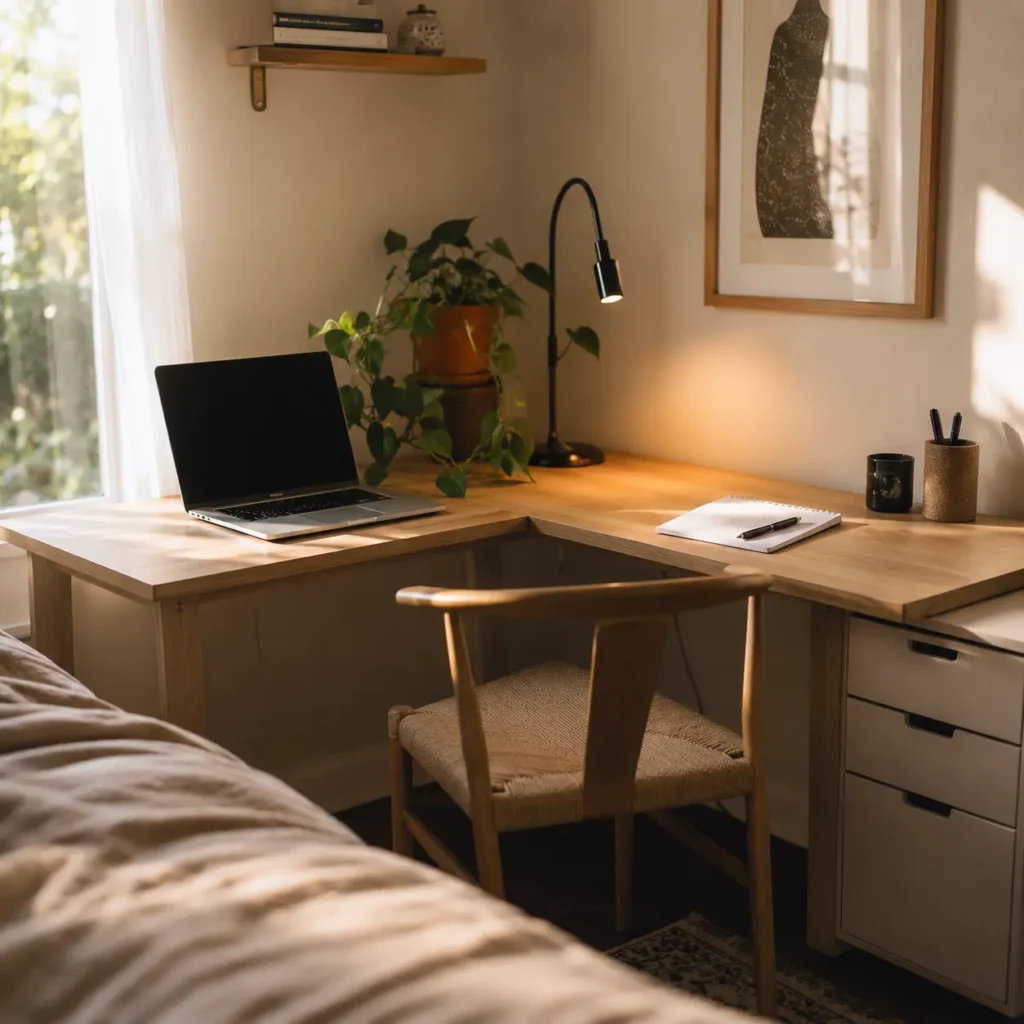
Estimated Budget: $150–$400 AUD | DIY Difficulty: Easy | Best Room: Bedroom, living room
Corners are probably the most underutilized real estate in any home. An L-shaped corner desk transforms dead space into a surprisingly capable workstation without pushing into the main flow of the room. You get more surface area than a standard desk while keeping a smaller footprint — perfect for anyone who needs space for a monitor, notebook, and a cup of coffee without feeling cramped.
Budget corner desks are widely available from IKEA, Kmart, and online marketplaces for under $300 AUD. The IKEA MICKE and LINNMON combinations are popular choices that let you customize dimensions. If you’re really watching the budget, even a second-hand L-shaped desk from Facebook Marketplace or Gumtree can work brilliantly with a fresh clean and a new coat of paint.
Productivity Advantage: More surface space means fewer things stacked on top of each other, which reduces visual clutter and mental noise. You can also separate “task zones” — laptop on one side, reference materials on the other.
Pros: Great surface area, uses unused space, many affordable options available.
Cons: Corner placement can limit flexibility if you need to rearrange.
2. Foldable Wall-Mounted Desk
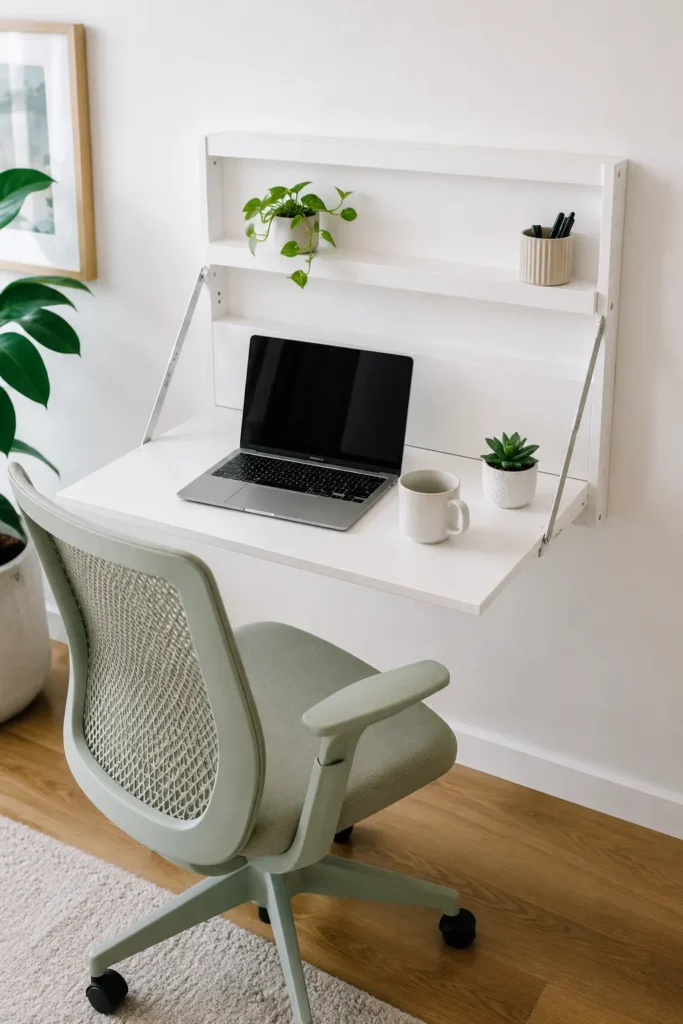
Estimated Budget: $80–$250 AUD | DIY Difficulty: Medium | Best Room: Studio apartments, tiny bedrooms
If your living situation requires you to reclaim your workspace at the end of every workday — whether it’s a studio flat, a shared room, or a living room that needs to function as a living room again by 6pm — a foldable wall-mounted desk is one of the cleverest solutions available. When it’s down, it’s a desk. When it’s up, it’s practically invisible.
These desks anchor directly to wall studs and fold flat against the wall when not in use. Many models include small built-in shelves or cubbies for storing a notebook, charger, or small device. You’ll need a drill and basic wall anchor knowledge to install one, but there are plenty of beginner-friendly tutorials on YouTube. IKEA’s NORBERG is a classic entry-level option, while brands like Prepac and Ameriwood offer slightly more robust versions for around $200 AUD.
Productivity Advantage: The act of folding your desk down each morning and up each evening creates a clear psychological boundary between work and non-work time — which is one of the biggest challenges of home working.
Pros: Saves maximum floor space, creates daily routine, looks clean when folded up.
Cons: Limited surface area, requires drilling into walls (not ideal for all renters).
3. Bedroom Office Nook
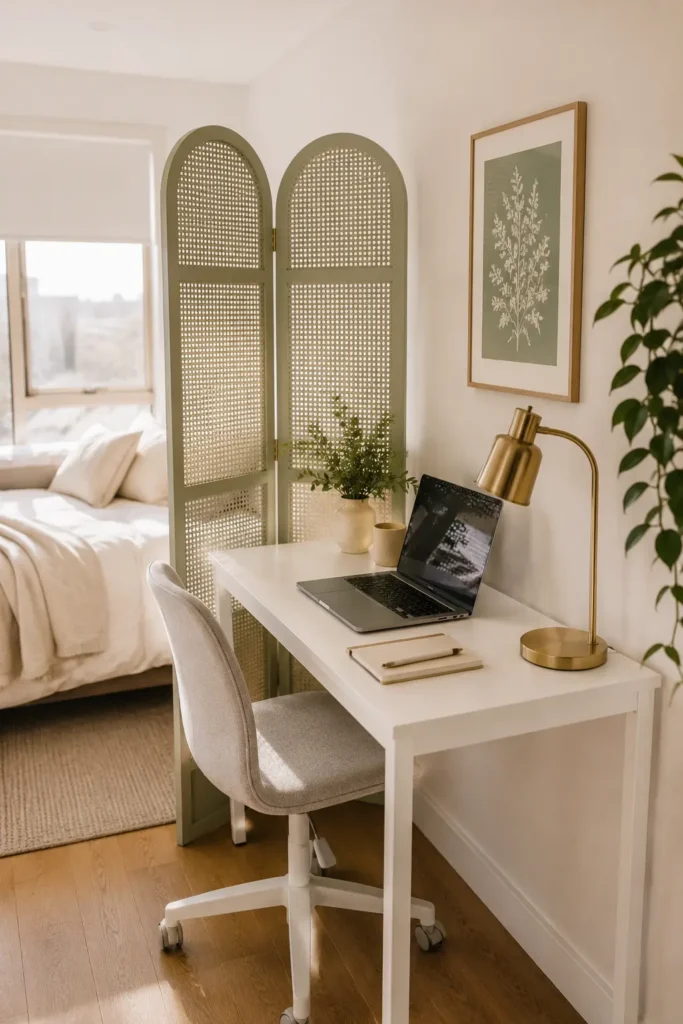
Estimated Budget: $100–$300 AUD | DIY Difficulty: Easy | Best Room: Bedroom
Setting up a workspace in your bedroom isn’t ideal from a sleep hygiene perspective — but let’s be real: for many people in small homes or apartments, it’s the most practical option. The trick is creating enough visual and physical separation that your brain can switch modes when the workday ends.
A few strategies make a big difference here. Position your desk so it doesn’t face the bed — a wall-facing setup helps you avoid the pull of a comfortable mattress during the day. Use a small folding screen or bookshelf as a room divider. When you’re done working, tuck your laptop away, close any notebooks, and if possible, cover or fold away the desk area entirely. Using a different lamp for work hours versus evening hours can also help signal the transition.
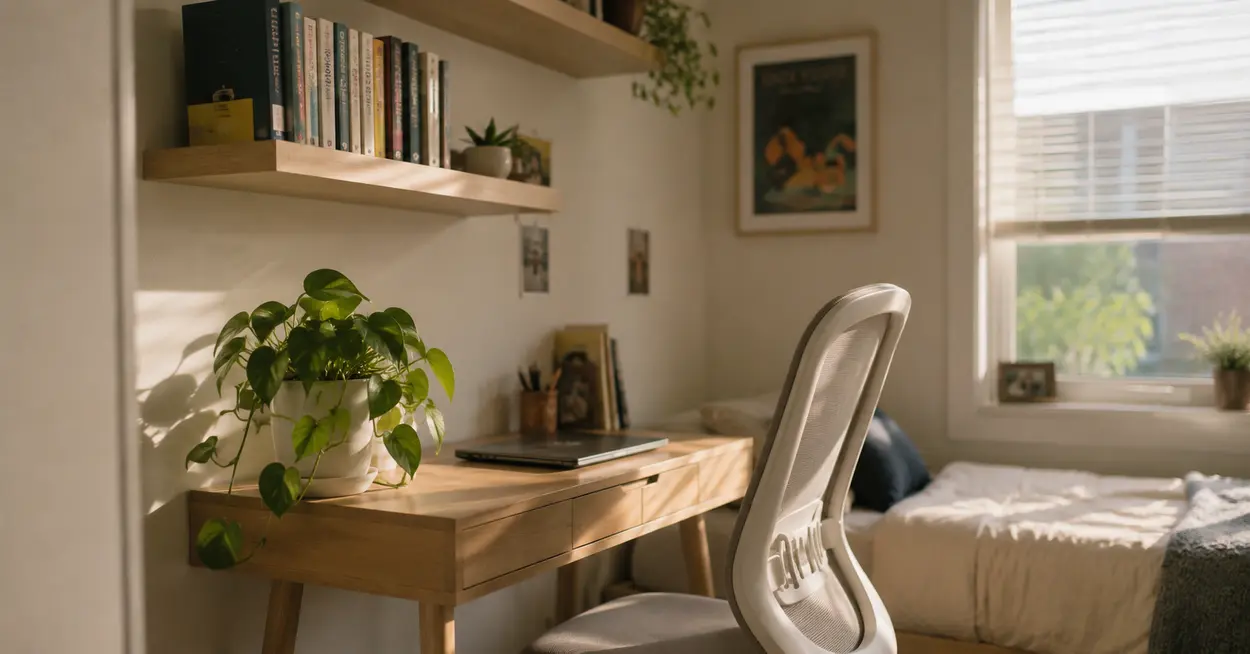
For the desk itself, a narrow writing desk (around 90–100cm wide) keeps things tidy without dominating the room. Pair it with a wall shelf above for storage and you’ve got a surprisingly functional nook.
Productivity Advantage: Your bedroom is already a quiet, private space — which is actually a bonus for focus during work hours.
Pros: Private, quiet, familiar environment; minimal cost if you already have a desk.
Cons: Can blur work-life boundaries if not managed carefully.
4. Closet Office (“Cloffice”)
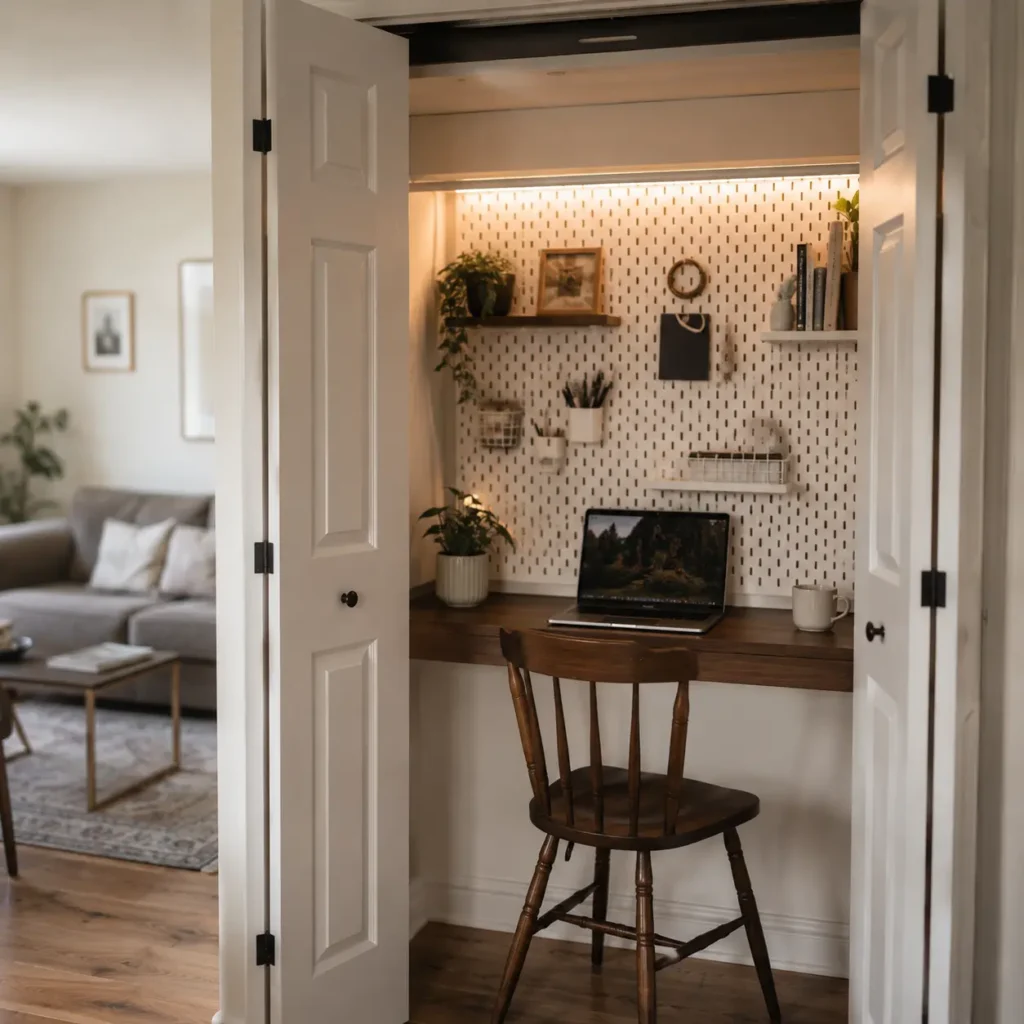
Estimated Budget: $150–$500 AUD | DIY Difficulty: Medium | Best Room: Any room with a closet
The “cloffice” — a closet converted into a home office — has become one of the most searched small-space workspace trends in recent years, and for good reason. It’s essentially a distraction-proof zone with a door you can close at the end of the day. Out of sight, out of mind — work included.
The setup is fairly straightforward: remove the closet rod and upper shelf if needed, install a flat desk surface at the right height (or use a piece of solid timber from Bunnings across the closet width), add a power strip for your devices, mount a shelf or two above for storage, and add good lighting inside since most closets don’t have windows. A peel-and-stick LED strip light along the inside of the closet top does the job perfectly and costs under $30.
The best part? When you’re done for the day, you close the doors and your workspace literally disappears. If you’ve ever felt like your home office was following you into your evenings, the cloffice is a game-changer.
Productivity Advantage: Enclosed space with minimal visual distraction makes it one of the most focus-friendly setups on this list.
Pros: Great distraction control, hides away when not in use, surprisingly flexible layout.
Cons: Ventilation can be an issue; not ideal for long hours without breaks; limited natural light.
5. Floating Shelves for Storage
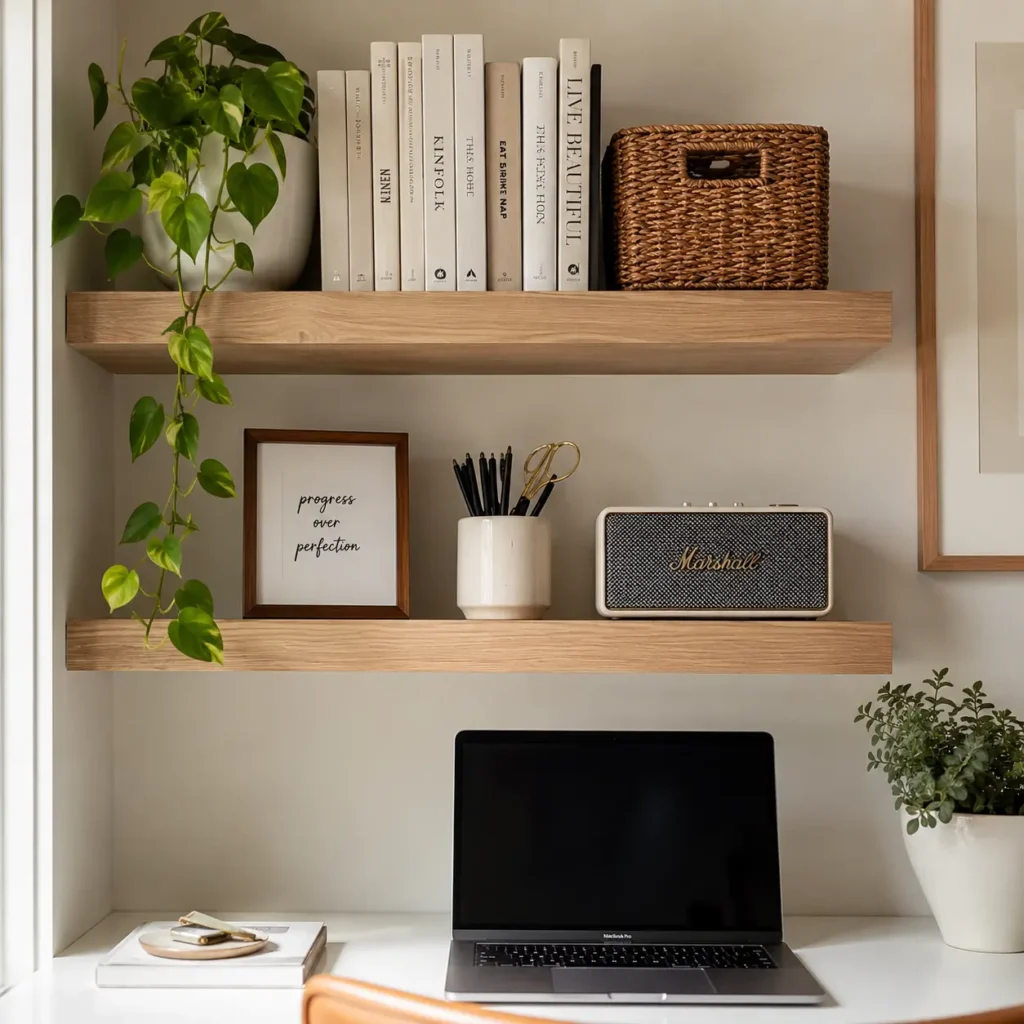
Estimated Budget: $50–$150 AUD | DIY Difficulty: Easy to Medium | Best Room: Any
If your desk setup is constantly buried under papers, notebooks, cables, and random objects, the problem usually isn’t the desk — it’s the lack of vertical storage. Floating shelves are one of the most cost-effective ways to fix this. A couple of shelves mounted above your workspace at different heights can store books, binders, plants, a printer, and small bins for office supplies — all without taking an inch of floor space.
IKEA LACK shelves are extremely affordable (under $20 each) and come in sizes that suit most walls. For a bit more weight capacity, look at solid timber brackets from Bunnings or hardware stores. Arrange them in a staggered pattern for more visual interest, or go for a clean horizontal row if you prefer a minimalist look.
This is also a great opportunity to style your workspace — mixing practical storage with a few decorative items like a small plant, a framed print, or a nice lamp creates a workspace that looks intentional rather than thrown together.
Productivity Advantage: A clutter-free desk surface is one of the simplest ways to reduce cognitive load and improve daily focus.
Pros: Inexpensive, highly customizable, works in any room.
Cons: Requires drilling; weight limits depend on wall anchoring.
6. Portable Laptop Workstation
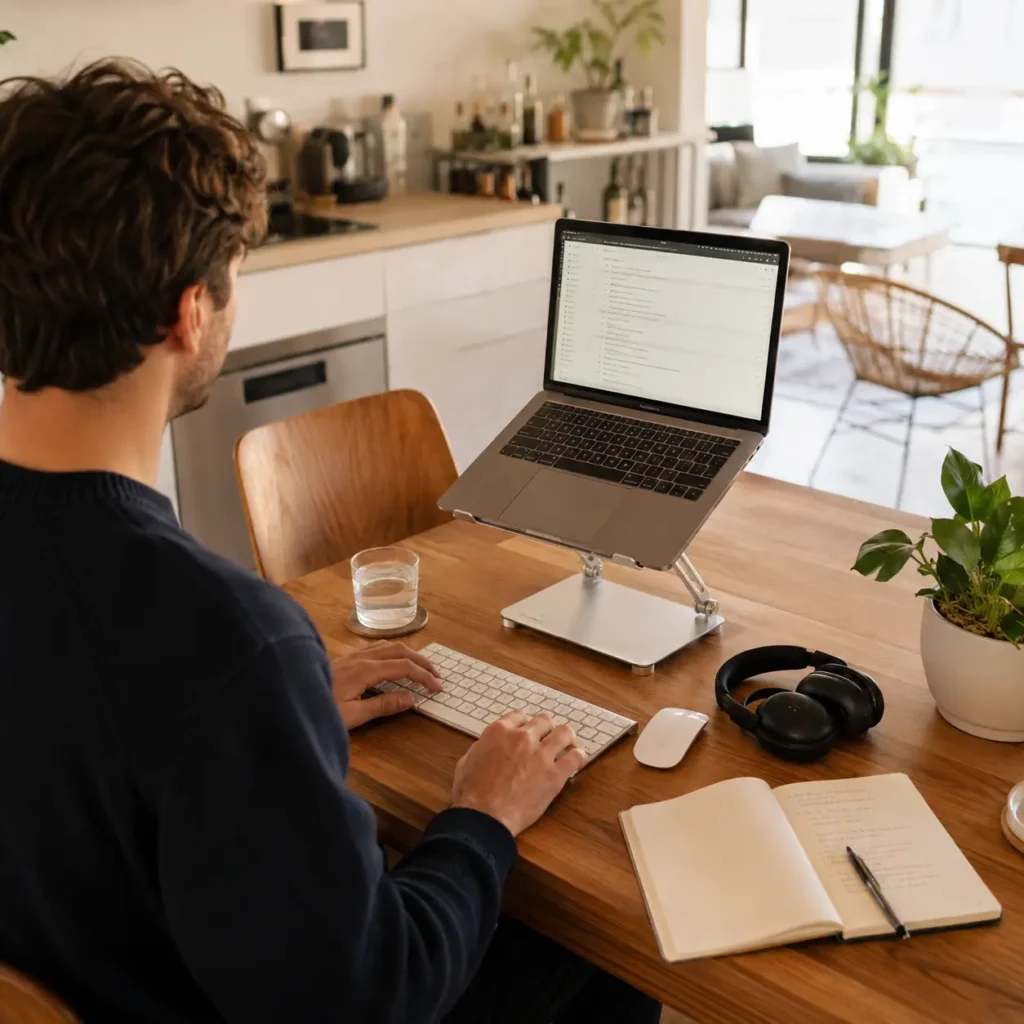
Estimated Budget: $50–$200 AUD | DIY Difficulty: Easy | Best Room: Any
Not everyone needs a fixed desk. If your work style is flexible, your living situation changes often, or you’re a renter who doesn’t want to put holes in walls, a portable laptop workstation gives you a proper ergonomic setup that moves with you.
A portable setup typically includes a lap desk or adjustable stand, a compact Bluetooth keyboard, a wireless mouse, and a USB hub for connecting devices. Add a portable monitor if your work requires more screen space — many 15-inch portable monitors now fold flat and weigh under 1kg. Total cost for a capable portable setup can be well under $200.
This approach works especially well for people who move around the house throughout the day — working at the kitchen table in the morning, the couch in the afternoon, and maybe even outside when the weather cooperates. Flexibility has its own productivity benefits, especially for people who do creative work.
Productivity Advantage: Flexibility reduces boredom and monotony, while still maintaining ergonomic posture with the right accessories.
Pros: Maximum flexibility, no installation required, great for renters.
Cons: Harder to maintain a consistent ergonomic setup; less storage and organization.
7. Minimalist Desk Setup

Estimated Budget: $100–$300 AUD | DIY Difficulty: Easy | Best Room: Any
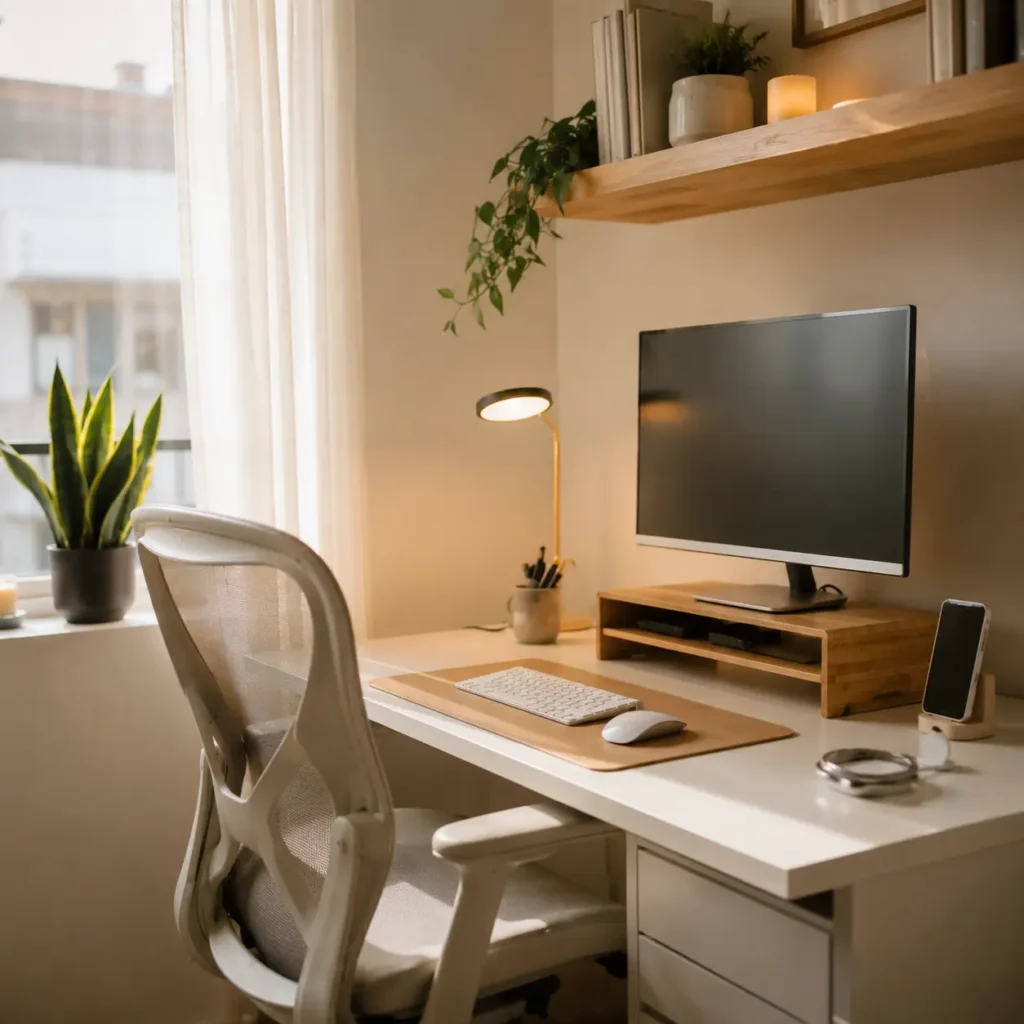
Sometimes the most productive setup is the simplest one. A minimalist desk approach means a single clean surface, your laptop or monitor, one good lamp, and nothing else that doesn’t actively serve your work. No decorative clutter, no cable chaos, no stack of random papers that “you’ll deal with later.”
The principle here is that your environment directly influences your mental state. A clean, minimal desk removes the low-level mental drain of visual noise and makes it easier to start tasks without procrastination. Even a basic $50 desk from IKEA becomes a powerful tool when kept completely organized.
Cable management is essential to a minimalist setup — use cable clips, a small cable tray under the desk, or a USB hub to consolidate wires. A small desk organizer for pens and essentials keeps things tidy without adding clutter. The goal is to be able to sit down and immediately know exactly what you’re working on.
Productivity Advantage: Research in environmental psychology consistently shows that visual clutter reduces cognitive performance. Fewer distractions on your desk = more mental bandwidth for actual work.
Pros: Highly affordable, proven productivity benefits, suits any space.
Cons: Requires ongoing discipline to maintain.
8. Under-Stair Office Space
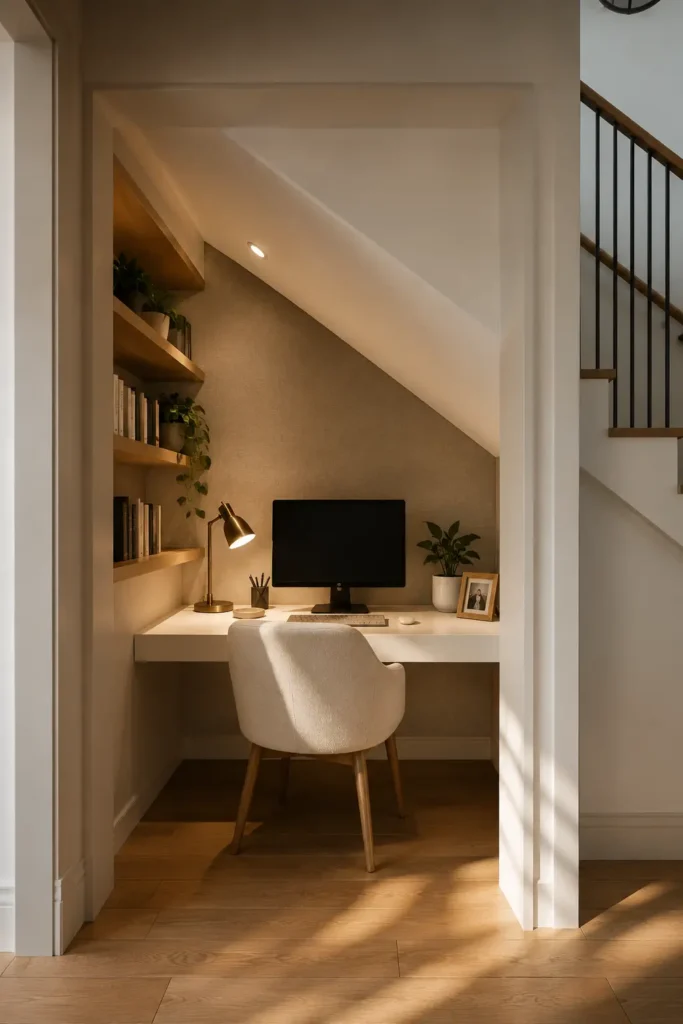
Estimated Budget: $200–$600 AUD | DIY Difficulty: Medium to Hard | Best Room: Homes with staircase alcoves
If you live in a house with stairs, that triangular alcove underneath is often completely wasted. Converting it into a compact home office is one of the most creative and surprisingly practical small-space solutions out there. The sloped ceiling means you’ll be sitting rather than standing, but for a desk setup it’s actually perfect — and the built-in enclosure creates a naturally focused, cave-like workspace.
A custom timber desktop cut to fit the available width (or a modular system from IKEA’s SEKTION or PAX range), combined with built-in shelving along the back wall and good lighting, creates a workspace that feels deliberately designed rather than improvised. Add a comfortable chair, a power strip, and some cable hooks, and you’ve got something genuinely impressive for the price.
This is a higher-investment, higher-effort project compared to others on this list, but the result can be one of the most visually striking and efficient small home office setups possible — the kind that people post on Pinterest.
Productivity Advantage: An enclosed, purpose-built space with no other function gives you one of the strongest work mindsets possible at home.
Pros: Maximizes unused space, unique and visually impressive, highly functional.
Cons: Requires more planning and effort; not suitable for apartments.
9. Budget Ergonomic Chair Upgrade
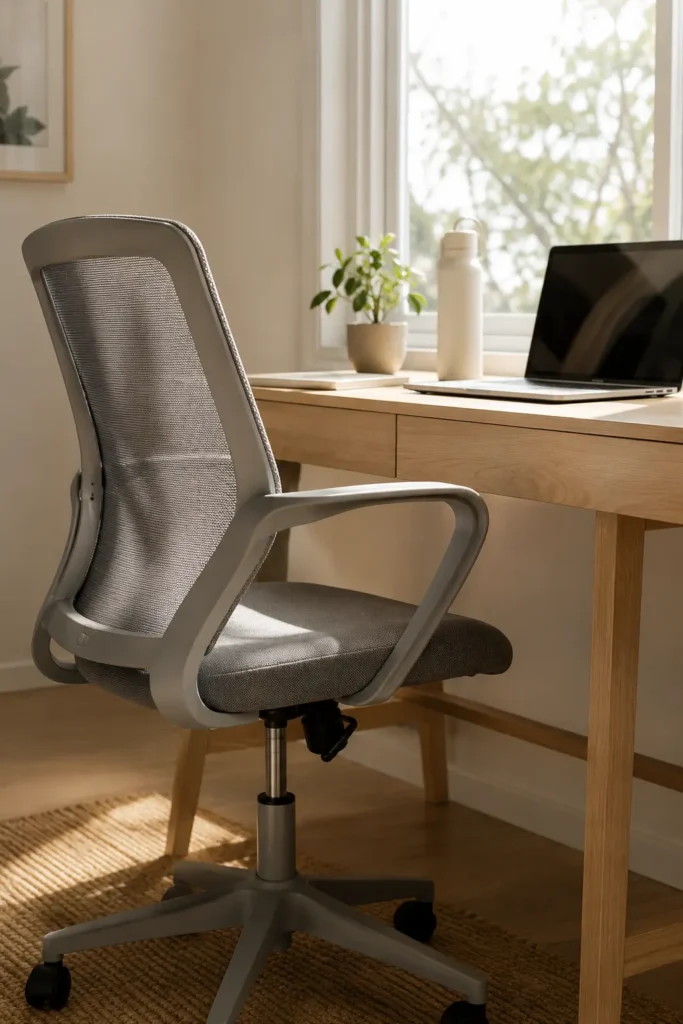
Estimated Budget: $150–$400 AUD | DIY Difficulty: N/A | Best Room: Any
Of every dollar you spend on your home office setup, the ones you spend on your chair tend to deliver the highest return. Eight hours a day on a dining chair or a plastic stool will eventually cost you far more in back pain and physiotherapy bills than a decent ergonomic chair ever would.
You don’t need a $1,500 Herman Miller to get meaningful ergonomic support. Mid-range options like the Ergohuman Lite (around $350–$450), the Sihoo M18 (around $200), or even second-hand ergonomic chairs from office liquidation sales can give you proper lumbar support, adjustable armrests, and breathable mesh backing at a fraction of premium prices.
Key features to look for: adjustable seat height, lumbar support (built-in or a separate cushion), armrests you can actually rest your forearms on, and a seat depth that doesn’t cut into the backs of your knees. If you’re working long hours from home, this is one upgrade that’s absolutely worth prioritizing.
Productivity Advantage: Physical comfort directly affects focus and stamina. Discomfort is a constant low-level distraction that adds up over hours.
Pros: Significant comfort improvement, protects long-term health.
Cons: Higher upfront cost than most furniture items on this list.
10. Smart Lighting for Productivity
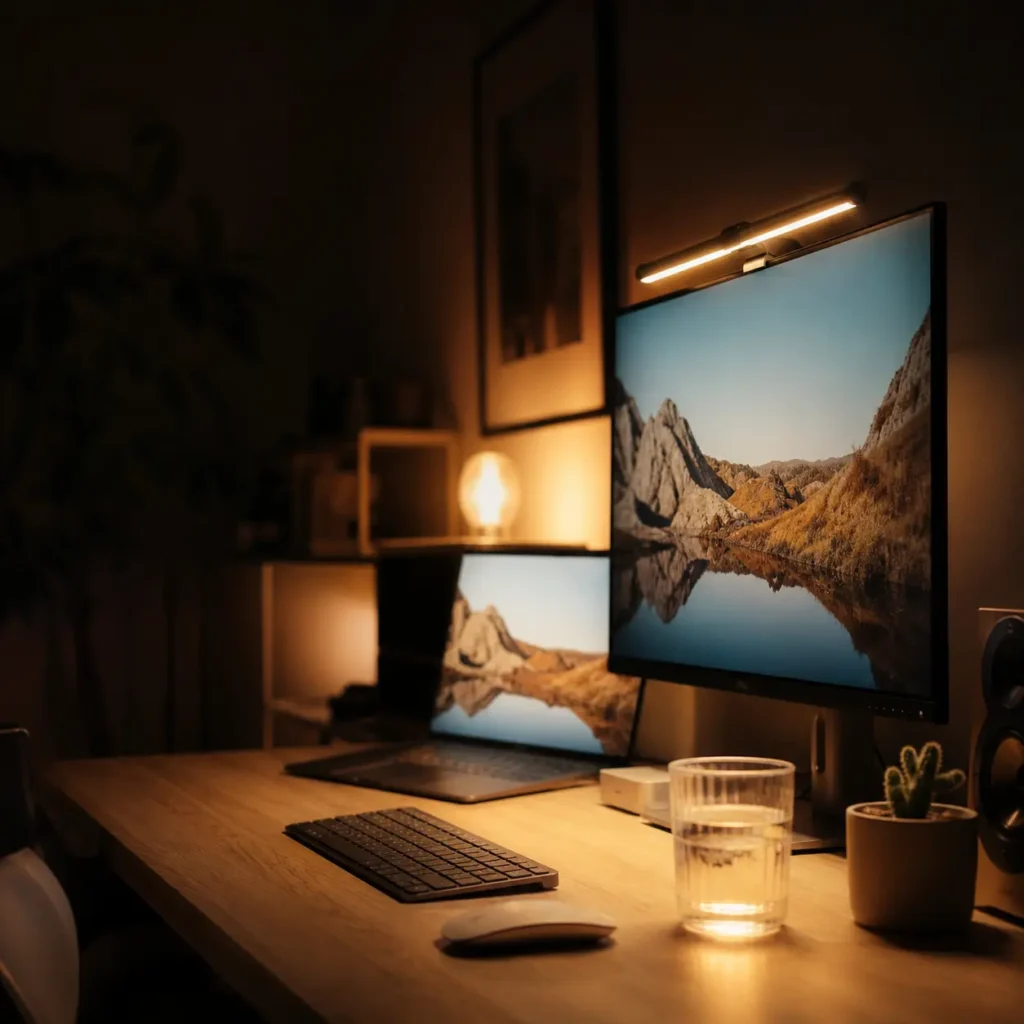
Estimated Budget: $40–$180 AUD | DIY Difficulty: Easy | Best Room: Any
Lighting is one of the most overlooked elements of a home office — and one of the cheapest to get right. Poor lighting doesn’t just cause eye strain; it also affects your circadian rhythm, energy levels, and ability to stay alert through the afternoon slump.
For desk work, a quality LED task lamp with adjustable color temperature is the single best lighting upgrade you can make. Cool white light (5000–6500K) supports alertness and concentration during focused work sessions. Warmer tones (2700–3000K) are better for winding down toward the end of the day. Lamps with built-in USB charging ports are particularly convenient for keeping cables tidy.
If you’re doing regular video calls, a small ring light or a soft-box style panel positioned in front of you (not above) will dramatically improve how you look on screen — a surprisingly morale-boosting benefit that many remote workers underestimate.
Productivity Advantage: The right lighting setup can reduce headaches, eye strain, and afternoon fatigue — all of which are common complaints among people working from home.
Pros: Inexpensive, easy to implement, significant impact on wellbeing and focus.
Cons: Good-quality lamps cost more than cheap alternatives; worth the investment.
Best Furniture for Small Home Offices
Furniture is where most people either win or lose their small home office battle. Oversized desks, chunky storage units, and bulky chairs that looked fine in a showroom can completely overwhelm a compact room. The key is choosing pieces that earn their floor space by doing multiple jobs well.
Compact Desks Worth Considering
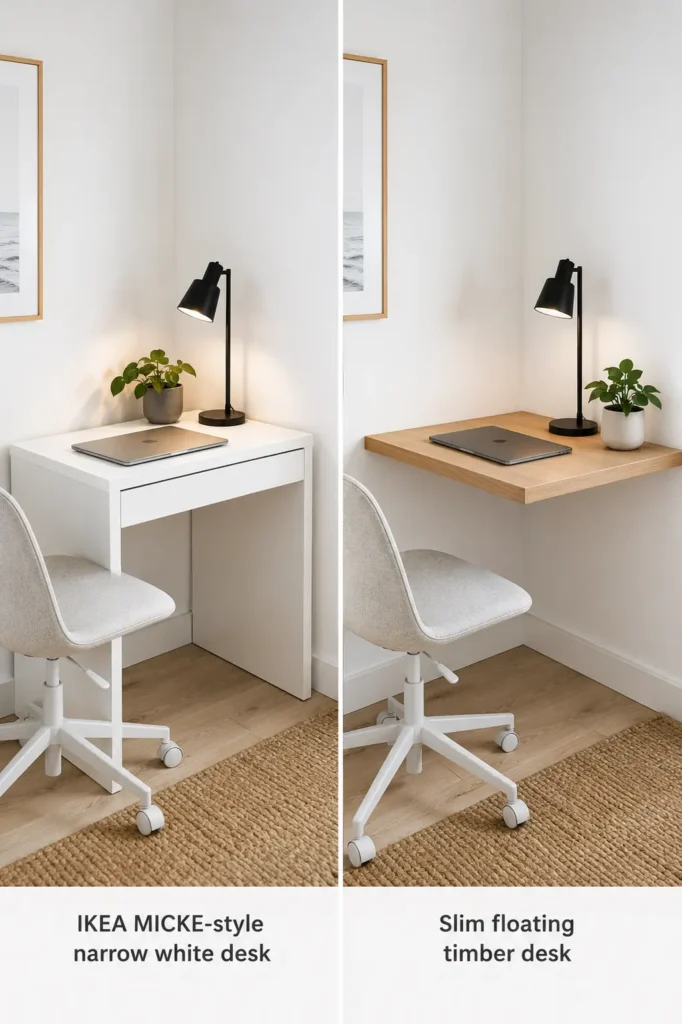
For small spaces, aim for desks between 80–120cm wide. The IKEA MICKE (105cm) is practically legendary in the budget home office world for a reason — it’s well-designed, includes a small integrated storage compartment, and assembles easily. The Alex desk or the Bekant standing desk are slightly more expensive but offer cable management and a cleaner profile. For something more substantial, the Flexispot E2B electric standing desk base paired with a custom timber top gives you height adjustability — a premium-feeling setup for around $500–$700 AUD total.
Foldable and Multi-Purpose Furniture
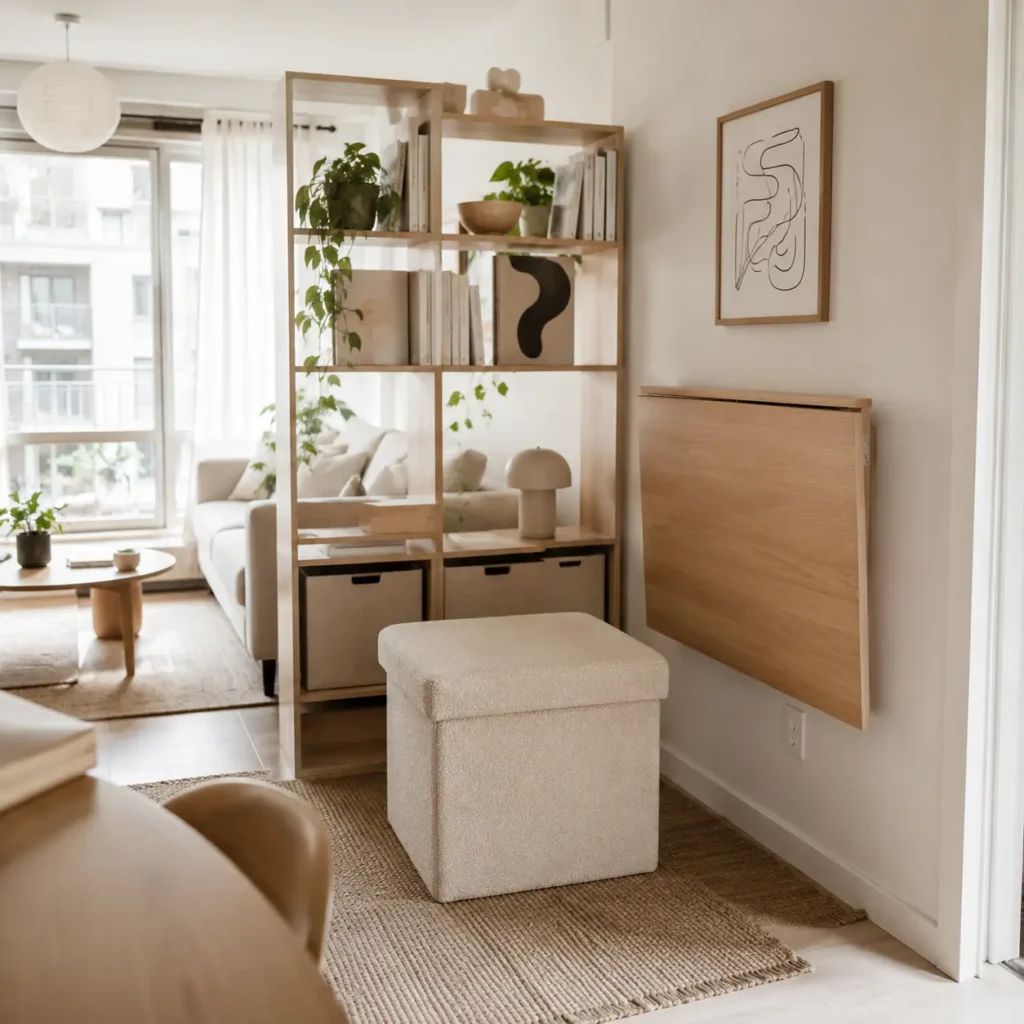
When you’re working with limited square footage, every piece of furniture should be doing double (or triple) duty. A bookshelf that divides a workspace from the rest of a room. A storage ottoman that holds office supplies and doubles as a secondary seat. A bench that serves as both seating and file storage. These aren’t compromises — they’re genuinely smart design choices that professionals in the interior design world use all the time.
Ergonomic Seating
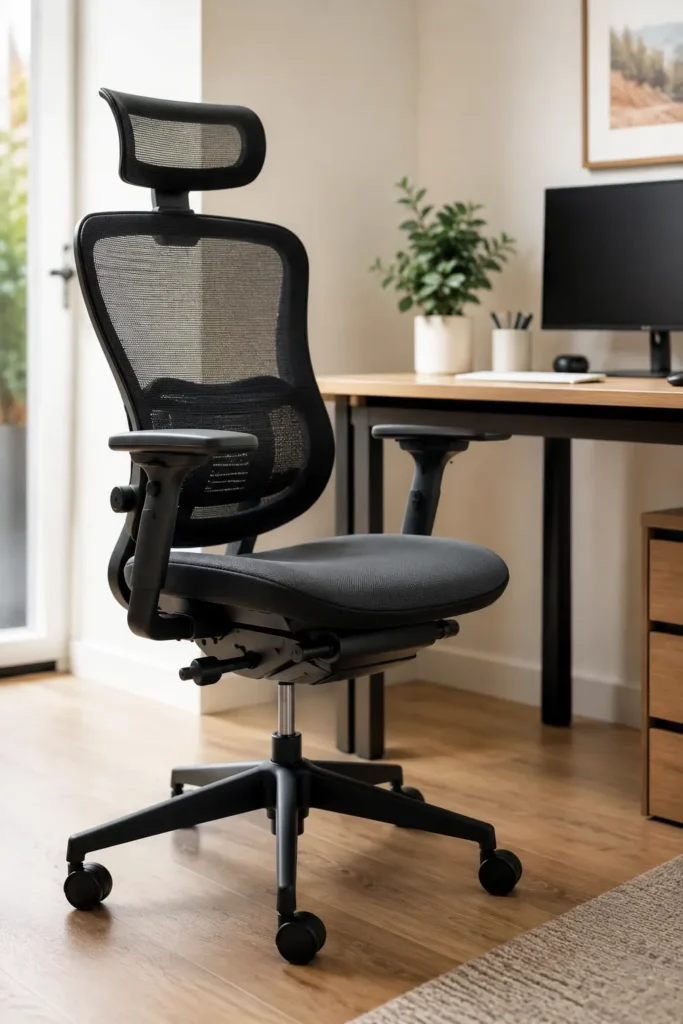
As mentioned in the setup ideas above, your chair is worth investing in. If budget is tight, a lumbar support cushion ($30–$60 AUD) added to an existing chair can make a meaningful difference short-term. Long-term, aim to save up for a proper ergonomic chair. Your back is worth it.
Vertical Storage Units
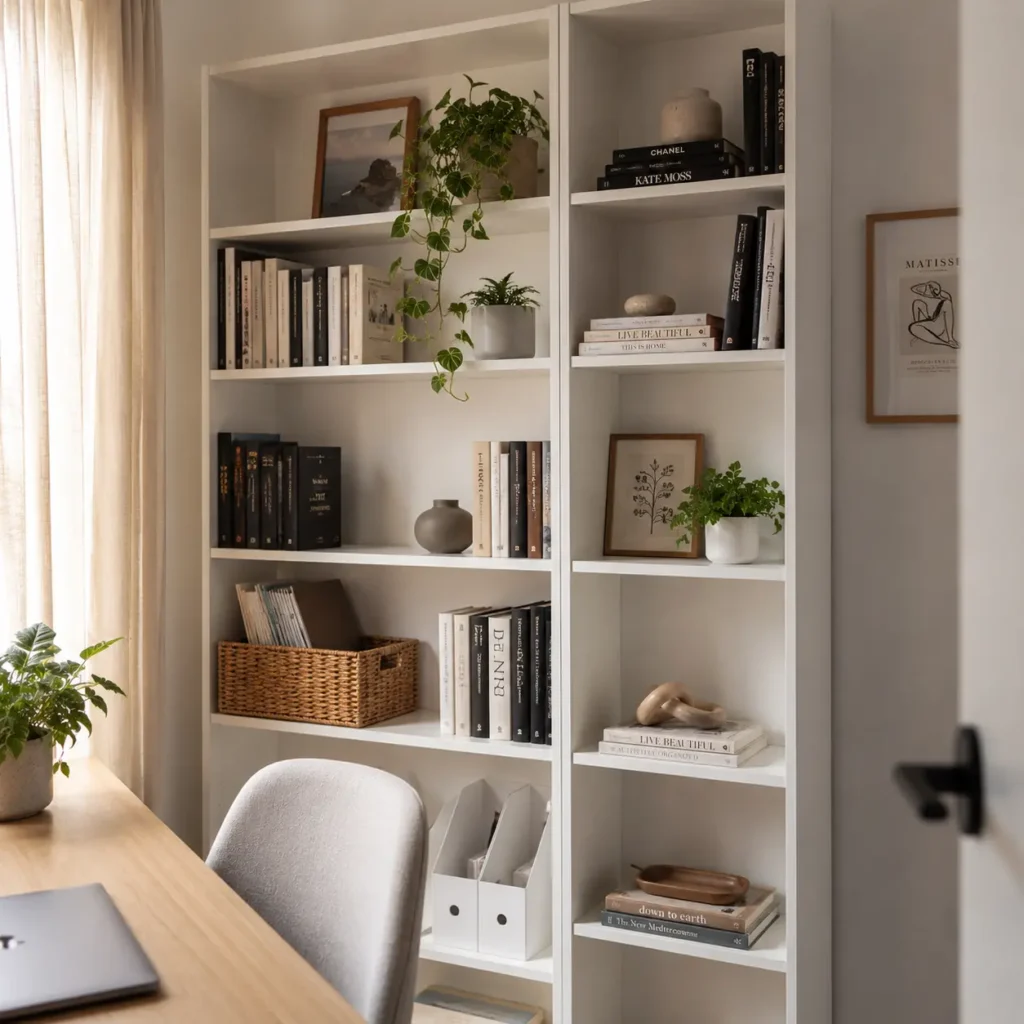
Floor-to-ceiling bookshelves pull the eye upward and create a sense of height in small rooms. They also hold significantly more than a low-profile cabinet without taking up extra floor space. The IKEA BILLY bookcase is a classic choice — affordable, stable, and endlessly customizable with add-on doors and extra shelves. For something more stylish, ladder shelves create visual interest while still providing practical storage.
Mobile Drawers and Rolling Carts
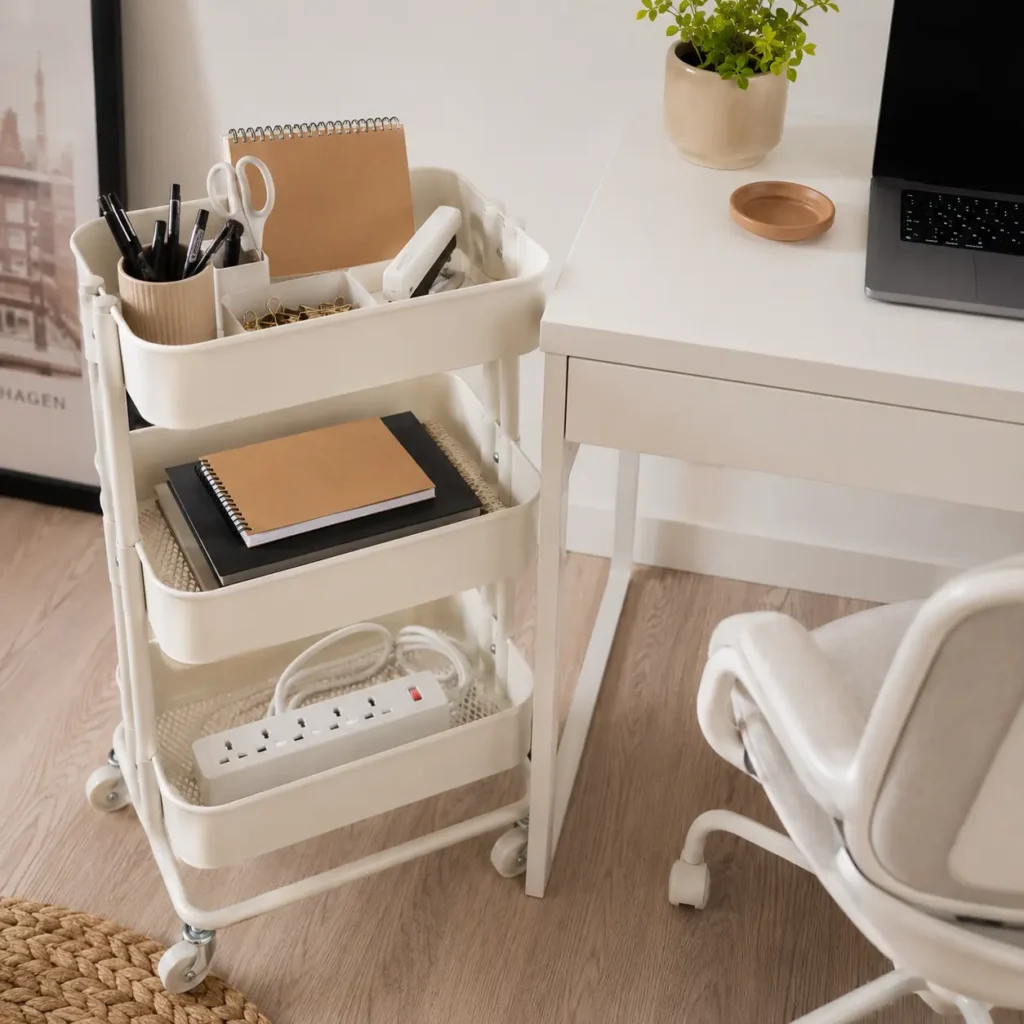
A small rolling cart (like the popular IKEA RÅSKOG) tucked under or beside your desk can hold everything from notebooks and chargers to snacks and stationery. It moves when you need it to, hides when you don’t, and costs under $40. Mobile pedestals with two or three drawers are also excellent for keeping paperwork organized without adding permanent furniture to the room.
Cable Management
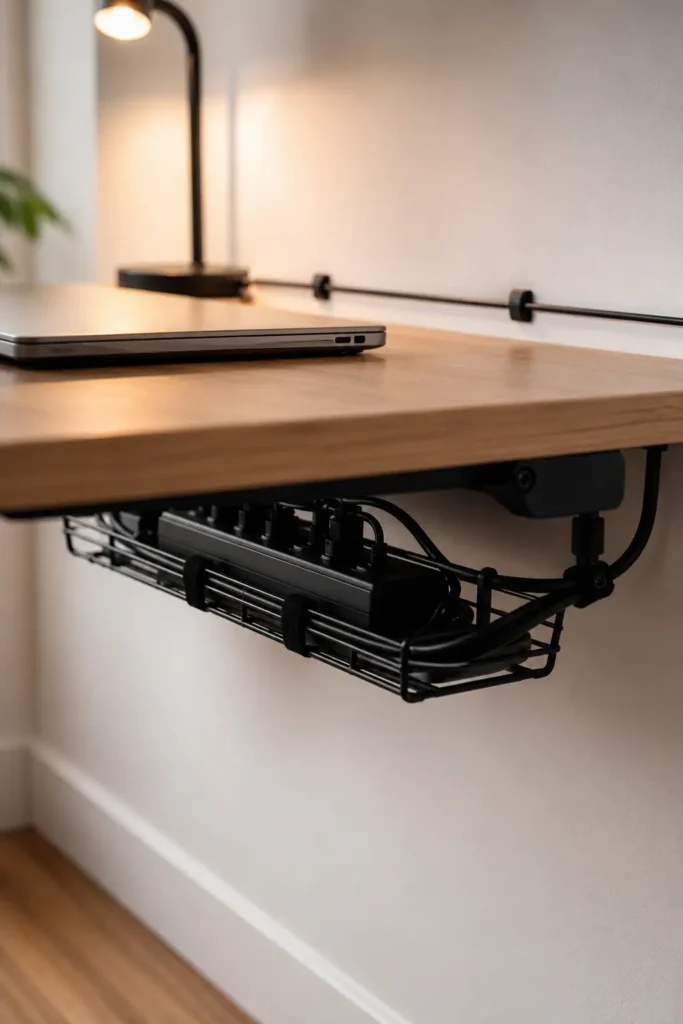
Cables are the silent killers of small home office aesthetics. A tangle of cords under a desk immediately makes any setup look chaotic and unfinished. Cable clips, velcro ties, cable raceways (the stick-on plastic channels that run along walls), and under-desk cable trays are all inexpensive and make a dramatic visual difference. Spend thirty minutes sorting cables and you’ll feel like you upgraded your entire setup.
Best Paint Colors & Décor for Small Home Office Spaces
Color is one of the most powerful and affordable tools you have when setting up a small workspace. The right shade can make a cramped room feel open and airy; the wrong one can make it feel like a closet (even if it is, in fact, a closet). This section covers the colors and décor choices that consistently work best in small home offices — based on both interior design research and the practical experience of people who work from compact spaces every day.
For a deeper look at how color transforms any small room, check out this guide on the best paint colors for small rooms in 2026 — it covers specific shades and finishes that genuinely make spaces look and feel larger.
Light Neutral Colors: The Foundation of Any Small Office
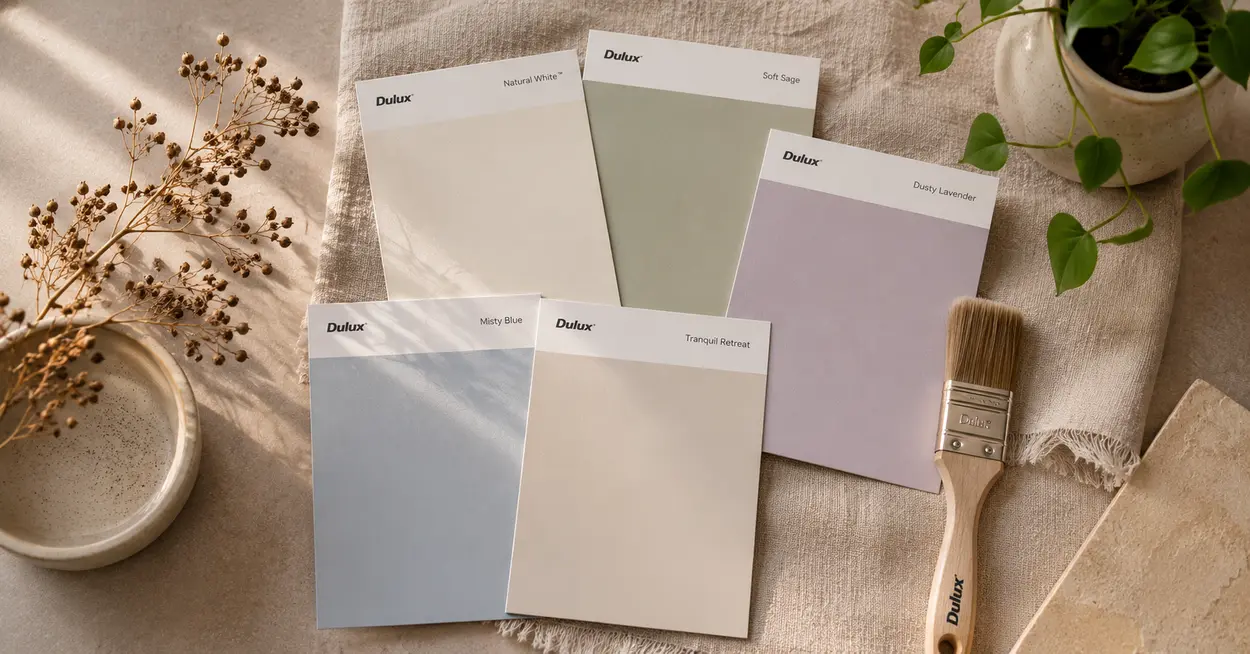
Soft whites, warm off-whites, and light greige (grey-beige) tones remain the most reliable choices for small offices. They reflect light, create visual continuity, and act as a neutral backdrop that doesn’t compete with your screen or your focus. Benjamin Moore’s “White Dove,” Dulux “Lexicon Quarter,” and Porter’s Paints “White Pointer” are all popular choices in Australia that deliver a clean, contemporary look without feeling clinical.
If you’re not ready to repaint, you can achieve a similar effect with a large, light-colored rug, white or cream curtains, and white-framed furniture that visually expands the space without touching a paintbrush.
Productivity-Friendly Colors
Research in color psychology suggests that certain shades actively support focus and mental clarity. Soft blues and blue-greens are consistently associated with calm concentration — think the color of shallow ocean water rather than an electric blue wall. Sage greens and olive tones connect to the outdoors, which tends to reduce stress without feeling distracting. These colors work especially well as an accent — a feature wall behind your desk, or a painted alcove around your workspace within a neutral room.
Avoid strong reds and bright oranges in a primary workspace. They elevate energy and stimulation, which can be helpful for short bursts but tends to increase anxiety and restlessness during long work sessions.
Minimalist Décor: Less Is More (Genuinely)
The most productive small offices tend to have very little on the walls and desk surfaces. This isn’t about aesthetic preference — it’s about reducing the visual information your brain has to filter out while you’re trying to focus. One or two thoughtfully chosen pieces are better than many small decorative items scattered across every surface.
A single framed print that you genuinely love, positioned at eye level near (but not directly in front of) your workspace, adds warmth without noise. A small succulent or trailing pothos on a shelf adds life without maintenance demands. A clean desk lamp in a material that complements the room — matte black, brushed brass, warm white — ties the whole setup together.
Plants for Focus and Air Quality
Indoor plants consistently rank among the most positively received workspace additions for good reason. They soften the hard lines of a desk setup, add natural color, and have been shown to modestly improve air quality and lower psychological stress. For small offices, low-maintenance options are best: snake plants, ZZ plants, pothos, and small succulents require minimal care and tolerate low light reasonably well.
Maximizing Natural Light
If your workspace has access to natural light, protect it. Use sheer curtains rather than heavy drapes, keep windows clean, and avoid positioning shelves or large furniture pieces that block the flow of daylight into the room. A mirror placed on a wall perpendicular to a window will bounce natural light further into the room — one of the oldest and most effective small-space design tricks available.
How to Stay Productive in a Small Home Office
Having the right setup is one half of the equation. The other half is building habits that support sustained focus in a home environment — which comes with its own unique set of challenges. Here’s what actually works.
Reducing Distractions: The Practical Approach
Distractions at home are different from office distractions. Instead of a chatty colleague, it’s a pile of dishes in your peripheral vision or the sound of the TV in the next room. Start by doing a “distraction audit” of your workspace: what can you see or hear that pulls your attention away from work? Then address each item systematically — close the door, face the wall, put the phone in a drawer during deep work sessions, use app blockers during your focus hours.
Tools like Forest (the focus timer app), Freedom (website blocker), and even a basic kitchen timer for Pomodoro-style work sessions can significantly improve your ability to stay on task. These aren’t productivity gimmicks — they provide external structure that compensates for the lack of social accountability you’d normally have in an office.
Workspace Organization: Daily Reset Habit
One of the most underrated productivity habits is doing a two-minute desk reset at the end of each workday. Clearing your desk surface, filing away loose papers, closing browser tabs, and shutting your laptop creates a clear mental boundary between work and home time. It also means you start each day with a clean slate rather than picking up the visual chaos left by yesterday’s scramble.
Managing Noise in Small Homes
If you live in a noisy household or urban environment, noise management deserves deliberate attention. Over-ear noise-cancelling headphones are the single most effective tool — they block ambient sound and signal to others in the household that you’re in focus mode. For calls, a headset with a directional microphone eliminates background noise at the source. White noise machines or apps can also mask irregular sounds (a phone ringing, traffic outside) that would otherwise break concentration.
Time Management and Structure
Without the natural rhythm of an office environment, it’s easy for working hours to bleed into everything else. Setting defined start and end times — and actually sticking to them — is one of the most impactful things you can do for both productivity and wellbeing. Use a simple daily planner or digital calendar to block time for deep work, calls, and admin tasks. Time-blocking is particularly effective in small home offices because it reduces the “what should I be doing right now?” cognitive load that quietly drains energy throughout the day.
Creating Work-Life Boundaries
This is perhaps the most important and most overlooked aspect of home office productivity. Research shows that 70% of remote workers find focused work easier from home — but that advantage disappears quickly when work bleeds into evenings and weekends. Physical cues help enormously: change clothes at the end of the workday, take a short “commute” walk around the block, or create a small shutdown ritual that signals to your brain that work is done. These might sound trivial, but they genuinely work.
Common Small Home Office Mistakes to Avoid
Setting up a home office in a small space is mostly about getting the basics right — but there are a handful of mistakes that consistently trip people up. If you recognize any of these in your current setup, the good news is that most of them are easily fixed.
Overcrowding the Workspace
It’s tempting to put everything you might ever need within arm’s reach — reference books, multiple monitors, a printer, a filing cabinet, snacks, and a full array of stationery. In a small office, this quickly becomes overwhelming. Start with the absolute minimum: your computer, one lamp, and one storage solution. Add things back only when you genuinely miss them. You’ll be surprised how little you actually need on the desk day-to-day.
Poor Lighting Setup
Relying on a single overhead bulb is one of the most common and easily fixed home office lighting mistakes. Harsh downward light creates unflattering shadows on your face for video calls and typically doesn’t illuminate your desk surface well. If you also need help with your broader home lighting setup, the principle is the same: layered lighting with different sources at different heights creates a far more comfortable and functional space than a single overhead fixture.
Buying Oversized Furniture
A desk that’s one size too large can make a small room feel completely unworkable. Always measure your space before purchasing, leave at least 90cm of clearance behind your chair for comfortable movement, and check that drawer and door clearances don’t conflict with other furniture. Use painter’s tape on the floor to mock up furniture dimensions before buying — it takes five minutes and can save you from a very expensive mistake.
Ignoring Ergonomics
Working from a kitchen chair or on a sofa might feel fine for the first few days. Over weeks and months, the effects accumulate: back pain, neck stiffness, wrist strain, headaches. These aren’t just discomforts — they’re focus-killers that affect your output and your mood. Even simple interventions like a monitor stand ($20–$30), a lumbar cushion ($30–$50), and a wireless keyboard ($50–$80) can dramatically improve your daily physical comfort.
Bad Cable Management
Visible cable chaos is disproportionately damaging to the feel of a small workspace. In a large office, a few stray cables go unnoticed. In a compact setup, they dominate the visual field and make the entire space feel cluttered and unfinished. Budget cable management solutions (velcro ties, adhesive hooks, under-desk trays) cost almost nothing and take an afternoon to sort out properly.
No Storage Planning
Setting up a desk without thinking about where everything will actually live is one of the most common mistakes. Within two weeks, every flat surface fills up with things that have nowhere else to go. Plan your storage before you set up your desk — decide where documents, stationery, devices, and cables will live, and make sure storage solutions are in place before the clutter has a chance to establish itself.
Small Home Office Trends in 2026
Home office design has evolved rapidly over the past few years, and 2026 has brought a genuinely interesting mix of technology, sustainability, and design thinking to the category. Here’s what’s shaping the most innovative small workspace setups right now.
Minimalist Workspaces: Still Going Strong
The shift toward less-is-more workspace design isn’t fading. If anything, it’s deepened. The 2026 version of minimalism is less stark and clinical than its early 2020s predecessor — warmer tones, natural materials, and thoughtful styling replace the cold white-and-chrome aesthetic. Think warm linen desk accessories, a natural timber desk surface, a single ceramic pot holding a plant, and clean walls with one carefully chosen print. The goal is calm, not empty.
AI-Powered Productivity Tools Integration
More remote workers are designing their home offices around AI workflow tools. Dedicated second screens for AI assistants, discrete microphone setups for voice-to-text dictation, and smart speakers integrated into the desk setup are all becoming more common. The physical workspace is being designed to support this new way of working — with minimal cable setups, always-on connectivity, and ergonomic screen positioning for extended AI-assisted sessions.
Sustainable and Second-Hand Furniture
Environmental awareness is influencing purchasing decisions in the home office category noticeably in 2026. Second-hand furniture, refurbished office chairs, and locally made timber pieces are increasingly preferred over flat-pack alternatives. Platforms like Facebook Marketplace, Gumtree, and dedicated office furniture liquidation sites make it easy to find high-quality pieces at a fraction of retail prices — and with significantly less environmental impact than buying new.
Multi-Functional Furniture Systems
Modular furniture designed specifically for small-space home offices has become a significant product category. Systems that combine desk, shelving, cabinet, and even a fold-out guest bed in a single wall unit are now widely available in Australia through suppliers like Expand Furniture and resource furniture specialists. The upfront cost is higher, but the space efficiency is remarkable — a full home office that disappears into a living room wall when not in use.
Smart Lighting Systems
Smart bulbs and app-controlled lighting setups have become affordable enough to be a mainstream home office upgrade in 2026. Systems like Philips Hue, LIFX, and cheaper alternatives from Kmart and Big W allow you to adjust color temperature and brightness throughout the day — warmer and dimmer in the morning, cooler and brighter during focused afternoon sessions, warm and dim for the wind-down at the end of the workday. This kind of intentional lighting routine has genuine productivity benefits over static overhead lighting.
Biophilic Design Elements
Incorporating natural elements — plants, natural light, timber surfaces, stone textures — into home workspaces is a growing trend in 2026 that goes beyond aesthetics. Biophilic design is supported by research showing that exposure to natural elements reduces stress and supports cognitive restoration, making it a genuinely evidence-based workspace upgrade rather than just a decorative choice.
DIY Home Office Upgrades on a Budget
Some of the best home office upgrades cost almost nothing if you’re willing to put in a bit of time and creativity. Here are the DIY improvements that deliver the most noticeable impact per dollar spent.
DIY Desk Ideas
A butcher block timber slab from Bunnings ($80–$150 for a 180cm piece) combined with two IKEA ALEX drawer units ($120 each) creates a custom-feel desk with ample surface and storage for under $400 total — and it looks significantly more expensive than it is. You can also sand and refinish an old door (often available at salvage yards for $20–$40) as a desk surface. The natural variation in the wood makes every one unique.
Affordable Storage Hacks
Pegboards (available from hardware stores for $20–$40) mounted above a desk create endlessly customizable vertical storage for accessories, small shelves, hooks, and bins. IKEA SKÅDIS pegboard is a popular option that includes a range of matching accessories. Repurposed kitchen canister sets, mason jars, and small wicker baskets make attractive and free (or very cheap) desk organizers. Magazine files ($5–$10 at op shops or Kmart) double as both file storage and bookends.
Budget Lighting Upgrades
LED strip lights behind a monitor reduce screen glare and eye strain during long work sessions — a proven ergonomic benefit for around $15–$25. Peel-and-stick LED cabinet lights ($10–$20) add task lighting under shelves without any wiring. For video calls, a clip-on ring light for your laptop screen costs around $20–$30 and dramatically improves your on-screen appearance. None of these require an electrician or significant investment.
Reusing Existing Furniture
Before buying anything new, look at what you already own with fresh eyes. A bookshelf moved to a new position can divide a room into work and non-work zones. A dining chair with a lumbar cushion might be comfortable enough as a temporary desk chair. A bedside table at the right height can serve as a side desk or monitor stand. Old wooden crates stacked and secured make interesting open shelving. The environmental and financial case for reusing what you already have is strong, and the creative constraints often lead to more interesting setups than simply buying everything new.
Cable Organization Tricks
Binder clips attached to the edge of a desk can hold charging cables so they don’t fall behind the desk when you unplug devices — a simple trick that costs nothing. Velcro cable ties (around $8 for a pack of 20) are reusable and far superior to zip ties for grouping cables. A cardboard shoebox painted in a matching color can hide a power strip and cable bundle under or beside a desk. These tiny solutions collectively transform a cable-messy workspace into something clean and functional.
DIY Wall Décor
Washi tape geometric patterns on a wall cost almost nothing and create a custom look that can be removed without damage — great for renters. Printed poster downloads (many available for free or under $5 on Etsy) combined with inexpensive frames from IKEA or op shops create a curated gallery wall feel. A small corkboard or magnetic whiteboard ($15–$30) serves double duty as both décor and practical workspace tool.
Editor’s Favorite Budget Workspace Setup
If we were setting up a functional small home office from scratch for under $500 AUD, here’s exactly how we’d do it:
- Desk: IKEA MICKE (105cm) — $179
- Chair: Sihoo M18 ergonomic mesh chair (second-hand via Gumtree) — $80
- Monitor Stand: Bamboo riser from Amazon — $35
- Lighting: BenQ ScreenBar monitor lamp — $95
- Storage: 2x IKEA LACK floating shelves — $30
- Cable Management: Velcro ties + under-desk tray — $20
- Desk organizer: 3-tier bamboo tray set — $25
- Small plant: Pothos from local nursery — $12
Total: ~$476 AUD
This setup is ergonomic, organized, visually clean, and fully functional for most types of remote work. It won’t win any interior design awards, but it will make your workday meaningfully better from day one — which is what actually matters.
Small Home Office Productivity Checklist
✅ Desk is at the correct height (elbows at 90° when seated)
✅ Monitor at eye level, arm’s length from face
✅ Chair has lumbar support
✅ Task lighting positioned to reduce screen glare
✅ Desk surface is clear of non-work items
✅ Cables are organized and not visible
✅ Storage solutions in place for documents and supplies
✅ Phone and notifications managed during work hours
✅ Clear start and end time established for the workday
✅ Daily desk reset habit in place
✅ Natural light maximized where possible
✅ Internet connection stable and strong from your desk location
Frequently Asked Questions About Small Home Office Setups
How do I build a home office in a small room?
Start by choosing a desk that fits your space without dominating it — a corner desk, foldable wall-mounted desk, or narrow writing desk all work well in small rooms. Use vertical wall storage (floating shelves, pegboards) to keep the floor clear. Position your desk near a window for natural light where possible, invest in a comfortable ergonomic chair, manage your cables neatly, and keep the desk surface clear of anything that isn’t actively serving your work.
What is the best desk for small spaces?
For small spaces, the best desks are compact corner desks (which maximize unused corner space), foldable wall-mounted desks (which disappear when not in use), and narrow writing desks around 80–100cm wide. The IKEA MICKE is a consistently popular budget option. If your space is very tight, a foldable wall-mounted desk like the IKEA NORBERG is one of the most space-efficient choices available.
How much does a budget home office cost?
A functional budget home office can be set up for as little as $200–$300 AUD if you already have some furniture and focus on key upgrades like lighting and cable management. A complete setup — desk, chair, lighting, storage, and accessories — typically costs between $400–$800 AUD. Buying second-hand furniture (particularly chairs) can significantly reduce this total.
Can I work productively in a bedroom office?
Yes, with the right setup. Position your desk so it doesn’t face the bed, use a lamp specifically for work hours to create visual context-switching, and establish a clear shutdown ritual at the end of the workday. Consider a folding screen or bookshelf to create physical separation between the sleep zone and work zone. Many people work effectively from bedroom offices — the key is deliberate boundary-setting rather than hoping things work themselves out.
Which colors improve productivity in a home office?
Soft blues and blue-greens are consistently associated with calm focus and are widely recommended for workspaces. Sage greens and muted olive tones connect to natural environments, which tends to reduce stress. Light neutrals (soft white, warm off-white, light greige) make small spaces feel larger and provide a non-distracting backdrop. For a detailed look at color choices and how they affect mood and space, see our guide to the best paint colors for small rooms.
How do I make my small office look bigger?
Use light paint colors to reflect more light. Install floating shelves instead of bulky floor cabinets to free up floor space visually. Place a mirror on a wall perpendicular to your window to bounce natural light further into the room. Choose furniture with visible legs rather than pieces that sit flush to the floor — you can see more floor, so the room feels larger. And keep the desk surface deliberately clear.
What lighting is best for a home office?
Natural daylight is ideal — position your desk near a window where possible. For artificial lighting, a combination of general overhead light and a dedicated task lamp is better than overhead light alone. Look for LED desk lamps with adjustable color temperature: cool white (5000–6500K) for focused work sessions, warmer tones (2700–3000K) toward the end of the day. This mirrors natural daylight patterns and supports your body’s natural energy rhythms.
Are ergonomic chairs worth it for remote work?
Absolutely, especially if you work more than 4–5 hours per day. Poor seating leads to back pain, neck strain, reduced circulation, and decreased concentration over time. You don’t need an expensive premium chair — mid-range ergonomic options in the $200–$400 AUD range (or a quality second-hand chair) provide meaningful support improvements over a standard dining or desk chair.
Final Thoughts: Build the Small Office That Works for You
Building a home office in a small space is genuinely achievable — and it doesn’t require a big budget, a dedicated room, or an interior design degree. What it does require is a bit of intentional thinking about what you actually need, what your space can realistically accommodate, and how you want to feel when you sit down to work each morning.
The setups and ideas in this guide run the full range from a $50 minimalist desk arrangement to a fully converted closet office. Some will suit your situation perfectly; others won’t match your space, your renting situation, or your working style at all. That’s fine. The best home office isn’t the most expensive one or the one that looks best on Instagram — it’s the one where you consistently feel comfortable, focused, and ready to do good work.
Start small if you’re not sure where to begin. Fix the lighting. Sort the cables. Get a better chair cushion. Clear the desk. These small improvements compound quickly, and you’ll often find that a few targeted changes make a more significant difference than a complete overhaul. From there, you can work gradually toward the setup you actually want — piece by piece, budget permitting.
One final thought: the data is clear that remote workers who have a dedicated, organized workspace consistently outperform those who don’t. Investing in your home office — even modestly — is an investment in your output, your wellbeing, and your daily quality of life. You spend a significant portion of your waking hours at your workspace. It’s worth getting right.
Explore more ideas for your home on the Beliefit Home Office hub — and if you’re rethinking other rooms while you’re at it, our guides on smart furniture choices and the broader best smart home upgrades under $500 are both worth a read.
Your perfect small office is closer than you think. Start somewhere, stay practical, and build from there.